
Phone sending messages automatically is something many people notice only after a confusing moment a friend replies to a message you don’t remember sending, or someone asks why you shared a strange link with them. At first it feels like a simple misunderstanding. But after checking your chat history, you may discover messages were actually sent from your phone without you touching it.
For many smartphone users, this situation is unsettling. It raises an immediate question: How could my phone send messages if I didn’t type them?
In recent months, more people have reported strange outgoing messages on WhatsApp, SMS, and social media platforms. Sometimes these messages promote suspicious links, unknown apps, or strange offers. Other times, they simply repeat the same message to multiple contacts.
While this doesn’t always mean your phone is hacked, it’s often a sign that something unusual is happening on your Device.
Let’s break down what’s really going on.
Does Automatically Sent Messages Mean Your Phone Is Hacked?
Not necessarily. If your phone sends Messages that you do not remember writing, it does not automatically mean someone has taken complete control of your device.
The problem could involve your messaging account, an unfamiliar linked device, a malicious application, or Access to your account from another location.
For example, someone who gains access to a linked WhatsApp session may be able to send messages without physically using your phone. In another situation, a malicious Android application with sensitive permissions may abuse device features to perform unwanted activities.
It is also important to identify which messaging service is affected. Unexpected SMS messages, WhatsApp messages, and messages sent through social media accounts can have different causes.
Before assuming your phone has been hacked, check your account sessions, installed applications, and recent security activity. Identifying the source of the messages makes it easier to choose the correct solution.
The Moment People First Notice Something Is Wrong
Most users don’t discover the issue Immediately. It usually begins with a small moment of confusion.
A typical situation might look like this:
You open WhatsApp in the morning and see several replies from friends saying things like:
-
- “What is this link you sent me?”
- “Is this your new business?”
- “Why did you send this message?”
But you don’t remember sending anything.
When you scroll through your chats, you see messages like:
“Check this amazing offer limited time only”
or
“Is this you in this video?”
Sometimes the Message includes a link. Sometimes it’s just a short sentence designed to get someone curious enough to click.
Even more confusing, the Message may have been sent to multiple contacts within minutes.
This is when many users realize their phone sending messages automatically may not be an accident.
Why Some Phones Suddenly Start Sending Messages
There are several Reasons this can happen, and most of them are linked to how modern smartphone apps work.
The most common causes include:
1. A Suspicious App Installed in the Background
Many users Install apps without thinking too much about Permissions.
For example:
-
- A photo editing app
- A free game
- A QR code scanner
- A “cleaner” or battery optimizer
Some malicious or poorly designed apps Request Permission to access Contacts and Messaging services. Once installed, they can send Messages automatically to promote links or spread spam.
In many cases, users don’t even remember Installing the app.
Android Permissions You Should Review
Some Android applications request permissions that give them access to sensitive device features. When these permissions are abused by malicious software, they can increase the risk of unauthorised activity.
Pay particular attention to the following permissions:
- SMS access: Depending on the permission granted and Android version, an application may be able to read or send SMS messages.
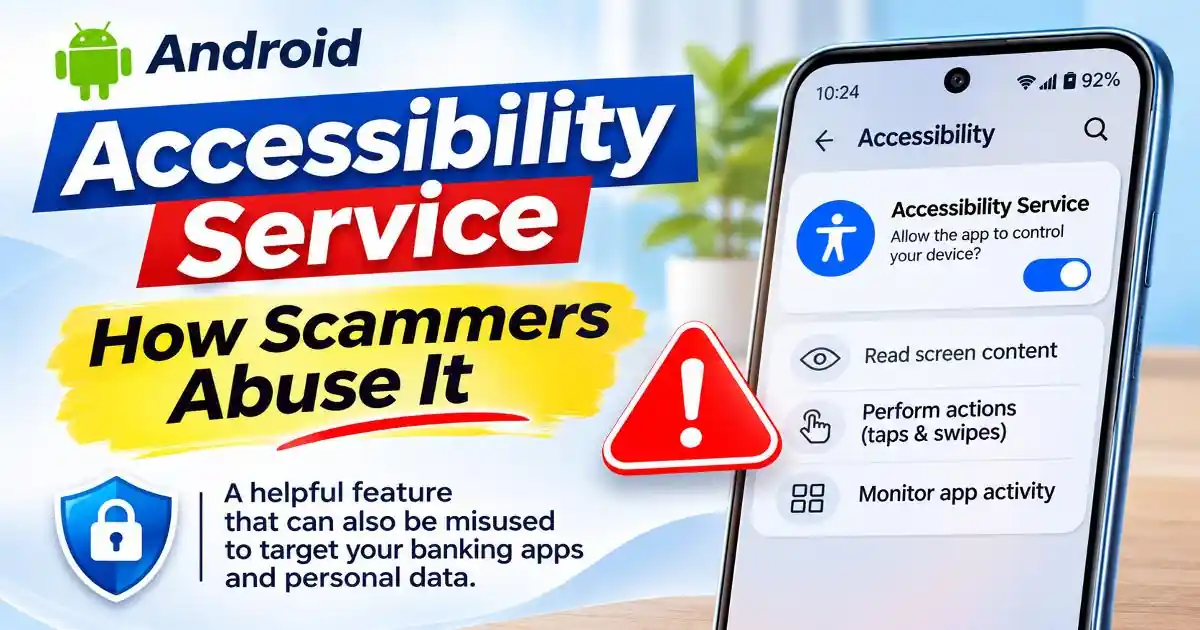
- Accessibility access: This feature is designed to help people interact with their devices, but malicious applications may abuse it to automate actions or interact with other applications.
- Notification access: An application with notification access may be able to read notification content, including some verification messages.
- Contacts access: This allows an application to access saved contact information, which could be misused for spam or social engineering.
- Install unknown apps: Allowing an application to install software from outside trusted app stores can increase exposure to malicious applications.
Review these permissions regularly and revoke access from applications that do not genuinely need them.
On Android, Google Play Protect can scan applications, identify potentially harmful software, and warn users about suspicious applications. Keep it enabled and avoid installing applications from unfamiliar websites.
Google specifically identifies SMS, Notification-listener, and accessibility permissions as sensitive capabilities that can be abused in financial fraud.
2. A Clicked Link That Triggered a Hidden Process
Sometimes the issue starts after tapping a message that looked harmless.
For example, a WhatsApp message might say:
“Someone mentioned you in this video see it here.”
The link leads to a webpage that asks the user to:
-
- allow notifications
- install an extension
- download a small app
Once permission is granted, that service may start sending promotional messages through your Account.
Can Clicking a Suspicious Link Make WhatsApp Send Messages Automatically?
Clicking a suspicious link does not normally give a website automatic permission to send WhatsApp messages from your account.
However, a malicious link may lead to a fake login page, a fraudulent application download, or a website designed to trick users into granting unnecessary permissions.
For example, a fake page may ask you to download an application, scan a QR code, or link your WhatsApp account to an unfamiliar service. If you follow these instructions, you may unintentionally give an attacker access to your account or device.
On Android, certain malicious applications may also abuse sensitive permissions or accessibility features to perform unwanted actions. This is why downloading applications from unknown websites and approving unfamiliar permission requests can be risky.
If you have recently clicked a suspicious link, check your browser downloads, installed applications, WhatsApp linked devices, and account activity. Do not assume that opening a link alone means your phone has been compromised.
3. Compromised Messaging Sessions
In some situations, the phone itself isn’t infected instead, the user’s messaging account is being accessed from another Device.
For example:
-
- WhatsApp Web logged in somewhere else
- A social media session still active on another device
- A shared tablet or computer still connected
If someone gains access to that session, they could send messages without touching Your Phone.
How to Check WhatsApp Linked Devices for Unknown Access
If WhatsApp is sending messages without your knowledge, checking linked devices should be one of your first steps.
WhatsApp allows users to access the same account through linked computers, browsers, and other supported devices. If someone has gained access to an unauthorised linked session, they may be able to send messages from your account without physically handling your primary phone.
Follow these steps to review your linked devices:
- Open WhatsApp on your primary phone.
- On Android, tap the three-dot menu and select Linked devices. On iPhone, open Settings and select Linked Devices.
- Review the list of connected devices.
- Look for computers, browsers, or devices you do not recognise.
- Tap an unfamiliar device and select Log out.
If you find an unknown session, remove it immediately.
You should also enable WhatsApp two-step verification to add another layer of protection to your account. Use a recovery email address that you control and never share your verification code or two-step verification credentials with anyone.
WhatsApp recommends regularly reviewing linked devices and logging out of sessions you do not recognise.
Warning Signs Users Often Miss
When a phone sending messages automatically issue begins, the warning signs are often subtle.
Here are a few things people commonly overlook.
Unusual outgoing messages
Check your recent messages carefully.
Look for texts you don’t remember sending, especially ones that include links or repeated phrases.
Friends asking about strange links
Many users first learn about the problem because a Friend responds to a message they never wrote.
Messages sent to many contacts quickly
Scam software often sends the same message to multiple contacts at once.
This helps attackers spread malicious links quickly.
Unknown apps installed
Sometimes users find apps on their phones they don’t remember installing.
These apps may hide behind generic names like:
-
- “System Update”
- “Video Player”
- “Cleaner Service”
Increased phone activity
Some users also notice:
-
- faster battery drain
- phone heating up
- sudden pop-up notifications
These may indicate an app running tasks in the background.
Why This Situation Can Be Dangerous
At first glance, automatic messages might seem like a minor annoyance. But they can create bigger problems.
When a phone sends messages automatically, it often spreads scam links or malicious websites to trusted contacts.
Because the message comes from someone familiar, friends and family are more likely to click.
This is exactly what scammers rely on: trust between contacts.
A single message like:
“Is this your photo in this article?”
can lead someone to a phishing page Asking for login credentials.
In other cases, links may download malware or fake apps that repeat the same behavior.
This allows scams to spread rapidly through contact lists.
How These Messaging Scams Changed in recent years
Mobile scams have become much more sophisticated over the past two years.
Now security researchers and tech support forums have reported an increase in automated messaging spam originating from compromised devices.
Attackers have shifted strategies in several ways.
Instead of sending messages from unknown numbers, scammers now try to use real accounts.
This makes the message appear trustworthy.
Another change is the use of short, curiosity-driven messages, such as:
-
- “Are you in this video?”
- “Is this your new profile?”
- “Look what I found.”
These messages rely on curiosity rather than urgency.
This tactic makes people more likely to click.
Scammers also use automated tools that spread messages to dozens of contacts within seconds.
Because of this, a single compromised phone can unknowingly distribute harmful links to an entire contact list.
Is the Problem Different on Android and iPhone?
The way unwanted messages can be sent depends partly on the operating system and the messaging application involved.
On Android phones
Android applications can request different permissions to access device features. Depending on the Android version, app role, and permissions granted, certain applications may be able to access SMS, contacts, notifications, or accessibility features.
Malicious applications may abuse these capabilities to perform unwanted actions. Installing applications from unknown sources or approving unnecessary permissions can increase this risk.
Google Play Protect helps detect potentially harmful applications and should remain enabled.
On iPhones
iOS uses application sandboxing and permission controls to limit how applications access device data and other apps.
A suspicious application generally cannot freely read and send messages through other applications simply because it has been installed. However, an attacker may still access a messaging account through compromised credentials, an unauthorised linked session, or social engineering.
iPhone users should review application permissions under Settings, keep iOS updated, and check connected devices and account security when unexpected messages appear.
The important point is that an unusual outgoing message does not have the same explanation on every device. Always investigate the affected messaging service and operating system before deciding that the entire phone has been compromised.
Android Help+2
What You Should Do If Your Phone Sent Messages Without You
If you notice messages being sent automatically, stay calm. In many cases, the issue can be resolved quickly.
Here are a few practical steps.
What to Do If Your Phone Has Already Sent Spam Messages
If suspicious messages have already been sent from your account, taking quick action can help prevent the problem from spreading to more contacts.
Follow these steps:
- Stop interacting with suspicious links: Do not open additional links or download applications suggested by the suspicious message.
- Secure the messaging account: Check linked devices and remove any session you do not recognise.
- Remove suspicious applications: Review recently installed applications and uninstall anything you cannot identify or trust.
- Review sensitive permissions: Check SMS, Accessibility, notification, and contacts permissions for unfamiliar applications.
- Change compromised passwords: If you suspect someone has accessed your account, secure it from a trusted device and replace any exposed passwords.
- Warn your contacts: Inform friends and family that suspicious messages may have been sent from your account. Ask them not to open the links.
- Monitor your accounts: Watch for unusual login notifications, password-reset requests, or other suspicious activity.
If the messages involve financial fraud, contact your bank immediately. In India, you can report online financial fraud through helpline 1930 and the National Cyber Crime Reporting Portal.
Do not simply delete the suspicious messages and assume the problem is solved. First identify whether the source was an unauthorised account session, a suspicious application, or another security issue.
Check recently installed apps
Look through apps installed in the past few days or weeks.
If something looks unfamiliar, remove it.
Review app permissions
Some apps request access to:
-
- contacts
- SMS
- notifications
If an app doesn’t need those permissions, revoke them.
Log out of active sessions
Check platforms like:
-
- WhatsApp Web
- Facebook sessions
- Telegram active devices
Log out of any device you don’t recognize.
Update your phone
Operating system updates often patch security weaknesses.
Keeping your phone updated helps prevent many common attacks.
Run a mobile security scan
A reputable mobile Security app can detect Suspicious software and remove harmful files.
A Simple Habit That Can Prevent Many Mobile Scams
Most cases of a phone sending messages automatically start with a single moment tapping a link, installing a random app, or granting permissions too quickly.
Modern smartphones are powerful, but they also depend on user decisions.
Taking a few seconds to question unexpected links or unfamiliar apps can prevent many problems.
Before installing anything, it helps to ask a Simple question:
“Do I really need this app?”
That small pause can often stop a scam before it begins.
Final Thoughts: When Your Phone Behaves in Unexpected Ways
Discovering that your phone sent messages without you can feel alarming. For many users, it creates a sense that their device has been taken over.
In reality, most of these situations are the result of misleading links, overly permissive apps, or compromised sessions rather than sophisticated hacking.
Still, the experience is a reminder of how easily digital trust can be exploited.
Our phones now hold conversations, photos, bank alerts, and Personal information. That makes them valuable targets for attackers looking to spread scams quickly.
Paying attention to small Warning signs unusual messages, strange links, unfamiliar apps can make a big difference.
The earlier you notice something unusual, the easier it is to stop it.
FAQ
Can someone send WhatsApp messages without touching my phone?
Yes. If someone gains access to an authorised WhatsApp linked device or compromises your account, they may be able to send messages without physically using your primary phone. Check Linked Devices and log out of any session you do not recognise.
Can a website send WhatsApp messages without my permission?
A normal website cannot simply send WhatsApp messages from your account because you opened a link. However, a fraudulent website may trick you into scanning a QR code, linking an unauthorised device, installing an application, or sharing account credentials.
Can an Android app send messages without my knowledge?
Certain malicious applications may abuse sensitive permissions or accessibility features to perform unwanted actions. The exact capabilities depend on the permissions granted, Android version, and application privileges. Review suspicious applications and their permissions.
How do I know if my WhatsApp account is being used by someone else?
Check WhatsApp Linked Devices for unfamiliar computers, browsers, or other devices. Also look for messages you did not send, unexpected verification requests, and unusual account activity. Log out of sessions you do not recognise.
Why is my phone sending messages automatically on WhatsApp?
This can happen if a malicious app has access to your phone, if a suspicious link installed Background software, or if someone has access to your WhatsApp Web session on another device.
Can malware send SMS messages without my knowledge?
Yes. Some malicious apps request permission to send SMS messages or access messaging services. Once permission is granted, they can send messages automatically.
How do I stop my phone from sending messages automatically?
Start by uninstalling suspicious apps, checking active messaging sessions, updating your phone, and running a mobile security scan.
Is my phone hacked if it sends messages on its own?
Not always. Many cases are caused by spam apps or unauthorized sessions rather than full device hacking. However, it’s still important to investigate and secure your phone quickly.
Official Sources and Further Reading:
1. WhatsApp Help Center – About Linked Devices - Explains how linked devices work and how users can review and remove unfamiliar sessions.
2. WhatsApp Help Center – How to Unlink a Device - Step-by-step instructions for logging out of an unfamiliar linked device.
3. WhatsApp Help Center – About Two-Step Verification - Explains the additional security protection available for WhatsApp accounts.
4. Google Android Help – Use Google Play Protect - Explains how Google scans applications and helps identify potentially harmful software.
5. Google for Developers – Play Protect Warnings - Explains why sensitive permissions such as SMS, notification access, and Accessibility are important to mobile security.
6. Apple Support – Control What You Share on iPhone - Explains how iPhone users can review and control application permissions.
7. Meta – New Account Security Features for WhatsApp - Official explanation of WhatsApp's account security features, stronger two-step verification, and passkeys.