


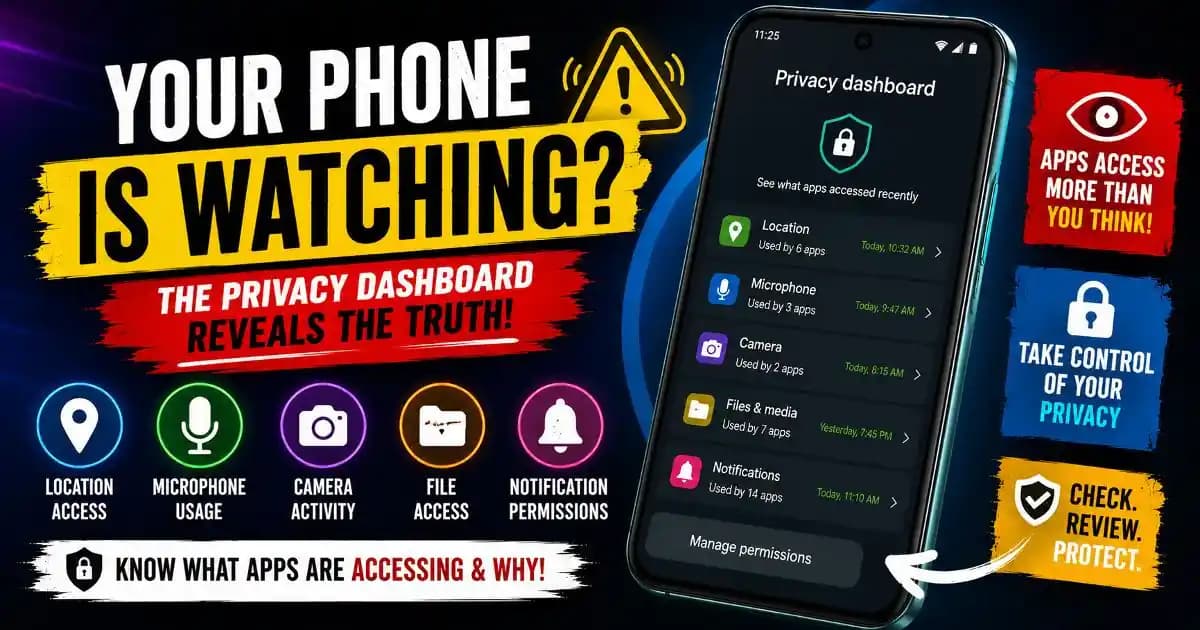
Android privacy dashboard tools are quietly becoming one of the most revealing features on modern smartphones, yet many users rarely open them or fully understand what they are showing. A person notices the microphone icon appear briefly while not recording audio. Another sees location access triggered late at night. Someone checks battery settings and discovers a social app accessing permissions dozens of times throughout the day.
For many users, these moments create a subtle realization that modern phones are far more active Behind the scenes than they appear on the surface.
The privacy dashboard exists partly because Android ecosystems changed dramatically during the past several years. Smartphones are no longer simple communication tools used only when users actively open apps. Modern devices continuously support cloud synchronization, notifications, location awareness, analytics systems, AI-powered personalization, advertising frameworks, and cross-device integrations.
As apps became more persistent and interconnected, operating systems needed better visibility tools so users could understand how software interacts with sensitive device Permissions.
That is exactly what Android’s privacy dashboard Attempts to provide.
The challenge is that many people still interpret Privacy indicators using assumptions from older smartphone eras, when apps behaved more like isolated software programs rather than continuously connected service ecosystems.
Why Android Introduced the Privacy Dashboard
Android gradually expanded Permission transparency because Mobile ecosystems became deeply integrated into Personal life.
Modern phones now contain:
- Banking activity
- Private conversations
- Family photos
- Authentication systems
- Location history
- Health information
- Workplace communication
- Cloud storage access
At the same time, apps increasingly Requested broad Permissions to support notifications, AI recommendations, automation systems, and behavioral personalization.
This created growing user uncertainty.
People often granted permissions quickly during app Installation without revisiting how frequently those permissions were actually being used afterward.
The Android privacy dashboard emerged as a response to that visibility Problem.
Instead of hiding permission Activity deep inside technical menus, Android began surfacing indicators showing when apps accessed:
- Microphone
- Camera
- Location
- Contacts
- Files and media
The system reflects a larger shift where operating systems increasingly compete around transparency and digital trust rather than only performance or app ecosystems.
What the Privacy Dashboard Actually Shows
Many users assume the dashboard functions like a malware scanner.
It does not.
The privacy dashboard primarily acts as a visibility layer showing how apps interact with sensitive permissions over time.
Users can typically review:
- Which apps accessed location recently
- How often the microphone was used
- Camera access history
- Permission timelines
- Apps with persistent access rights
In many cases, the activity itself is legitimate.
A maps app accessing Location during navigation is expected. A video conferencing platform using the microphone during calls is normal. A cloud storage service reading files for backup synchronization makes technical sense.
The dashboard becomes more interesting when users notice patterns they did not consciously expect.
For example, a flashlight app repeatedly Requesting location access may feel unusual. A wallpaper app using microphone permissions can appear disproportionate to its purpose.
This is where the dashboard shifts from a Simple settings tool into a broader digital awareness system.
Why Microphone and Camera Indicators Matter More Now
One of the most noticeable Android privacy features today involves real-time indicators showing when the microphone or camera becomes active.
These small icons changed user perception significantly.
Earlier smartphone generations allowed apps to access sensitive hardware with much less visibility. Modern Android systems now emphasize active awareness because phones increasingly support:
- Voice assistants
- AI-powered transcription
- Video collaboration
- Audio messaging
- Camera scanning systems
- Real-time translation
Many of these features genuinely require Background interaction with microphones or cameras.
But users also became more sensitive to the idea of continuous contextual awareness.
Even legitimate app behavior can feel unsettling when people realize how often sensors activate Throughout normal daily routines.
The dashboard helps users understand that modern mobile ecosystems operate far more continuously than many initially assumed.
Why Location Access Is Often the Biggest Surprise
Location activity tends to generate some of the strongest reactions inside privacy dashboards.
Users frequently discover apps accessing location far more often than expected.
Part of the reason is that location systems now support much more than navigation.
Apps increasingly use location data for:
- Weather updates
- Advertising personalization
- Delivery tracking
- Retail recommendations
- Geofencing systems
- Nearby device awareness
- Travel pattern analysis
Modern Android devices estimate location using combinations of:
- GPS
- Wi-Fi networks
- Bluetooth signals
- Cell towers
- Motion sensors
This creates a persistent environmental awareness layer supporting many convenience features users now expect Automatically.
The problem is that convenience and behavioral Tracking increasingly overlap.
A shopping app may request location to improve nearby recommendations. An advertising system may simultaneously use that information for profiling purposes.
The dashboard exposes these interactions more visibly than earlier smartphone systems ever did.
How AI Features Are Expanding Permission Activity
AI-powered mobile ecosystems significantly increased permission complexity during 2025 and 2026.
Modern apps increasingly seek contextual awareness so they can provide:
- Smart recommendations
- Automatic categorization
- Voice interaction
- Predictive reminders
- Content summarization
- Behavioral personalization
To support these features, apps often request broader access to:
- Notifications
- Photos
- Microphone activity
- Location patterns
- Calendar systems
- Usage behavior
Many users approve these permissions because the features feel useful and modern.
But the privacy dashboard increasingly reveals how frequently these systems operate behind the scenes.
Users may discover that an AI-powered productivity tool accesses files continuously or that a recommendation engine checks location patterns throughout the day.
This does not automatically mean the app is malicious. It reflects how modern software increasingly depends on continuous behavioral context.
Why Some Apps Request Permissions That Feel Unrelated
One reason the Android privacy dashboard attracts attention is because users often notice permissions that do not seem logically connected to an app’s purpose.
Examples include:
- A flashlight app requesting microphone access
- A wallpaper app reading location data
- A note-taking tool asking for contacts
- A photo editor requesting background activity exemptions
Sometimes there are technical explanations involving cloud synchronization, advertising systems, or expanded features.
Other times, the requests appear excessive.
Modern apps frequently include:
- Analytics frameworks
- Advertising SDKs
- Cross-platform integrations
- Engagement tracking systems
- Behavioral profiling tools
These invisible systems often influence permission requests as much as the visible app itself.
The privacy dashboard helps users Identify these mismatches more easily.
It transforms permissions from abstract settings into observable behavioral patterns.
Why Background Activity Became Harder to Understand
Modern smartphones rarely feel fully idle anymore.
Apps continuously:
- Synchronize cloud data
- Refresh notifications
- Track engagement
- Update recommendations
- Monitor connected devices
- Process automation tasks
As a result, users increasingly encounter privacy indicators during moments when they are not actively using certain apps.
This creates confusion because older assumptions about “closing an app” no longer fully match modern mobile architecture.
Swiping away an interface may remove the visible task without ending all associated services.
The privacy dashboard quietly exposes this reality.
Users begin noticing how many apps remain operational through background systems long after the interface disappears.
That realization changes how people think about mobile privacy itself.
How Android and iPhone Approaches Differ
Both Google and Apple increasingly emphasize privacy transparency, though their ecosystems approach the issue differently.
Android historically prioritized openness and flexibility, giving developers broader customization capabilities. Apple generally emphasized stricter ecosystem control and more aggressive permission visibility.
During recent years, however, both platforms moved toward:
- Permission indicators
- Microphone alerts
- Camera notifications
- Location usage visibility
- Privacy dashboards
- Selective media access
This convergence reflects changing consumer expectations.
Users now increasingly evaluate phones not only through hardware and performance but also through how transparently ecosystems explain data access and app behavior.
Privacy itself became part of platform competition.
Why Privacy Dashboards Matter for Digital Skills
The Android privacy dashboard is ultimately less about paranoia and more about awareness.
Many permission interactions are entirely legitimate. Modern apps genuinely need access to sensors, cloud systems, and connectivity layers to deliver features users now expect daily.
But the dashboard encourages a more informed relationship between users and software ecosystems.
People begin asking:
- Why does this app need constant location access?
- Does this permission match the app’s purpose?
- Why is the microphone activating repeatedly?
- Which apps truly need background activity?
These questions reflect growing digital maturity rather than fear.
As phones become increasingly integrated into identity systems, financial activity, workplace collaboration, and AI-driven personalization, understanding permission behavior becomes an important modern digital skill.
What the Privacy Dashboard Reveals About the Future of Phones
The rise of privacy dashboards reflects a much bigger transformation happening across technology ecosystems.
Modern smartphones are evolving into continuously aware computing environments. They monitor context, predict behavior, automate routines, synchronize cloud systems, and personalize experiences dynamically throughout the day.
That evolution naturally increases background activity and permission complexity.
The dashboard acts almost like a translation layer helping users visualize interactions that previously remained invisible.
In many ways, it represents the growing tension between convenience and transparency.
Users want personalized experiences, AI-powered automation, seamless synchronization, and instant notifications. At the same time, they increasingly want visibility into how those experiences are built.
For many people, opening the Android privacy dashboard becomes the moment they realize modern phones are not passive devices waiting for instructions anymore.
They are active ecosystems constantly interpreting behavior, responding to context, and communicating with networks behind the scenes.
The dashboard may not solve every privacy concern automatically, but it quietly reveals something important about the future of technology itself: digital trust increasingly depends on visibility into systems users cannot directly see.






