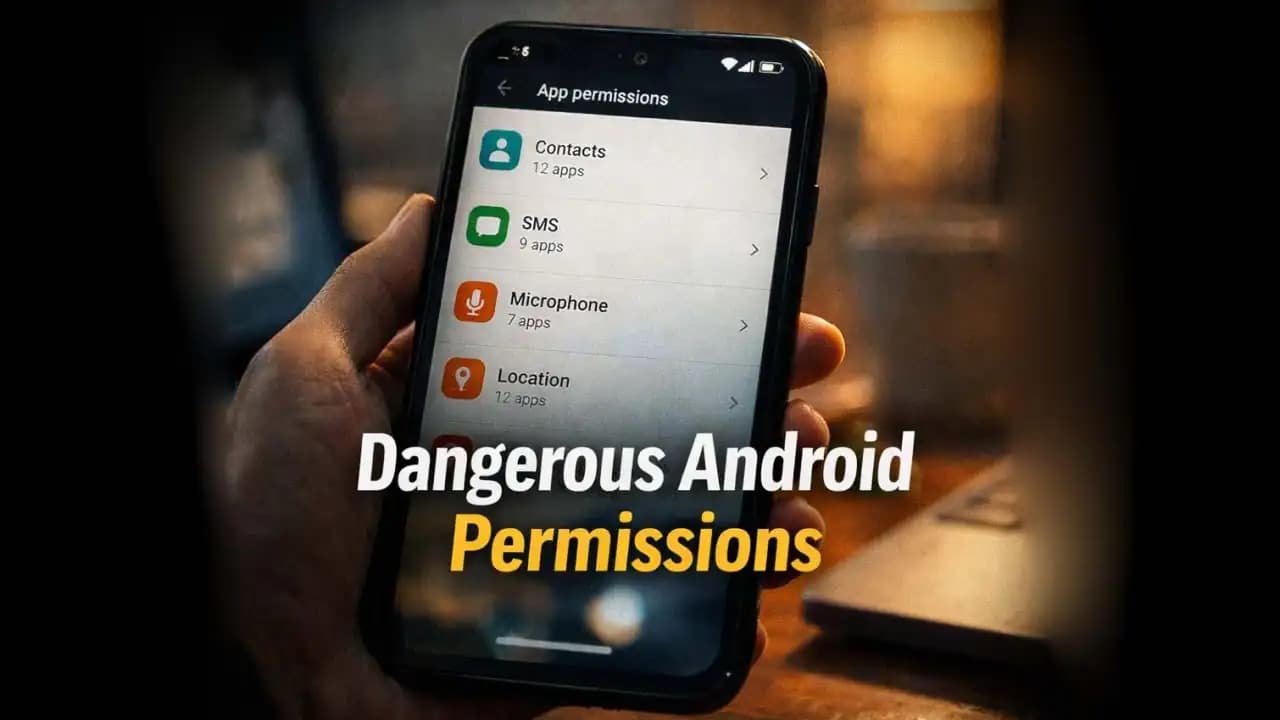
Dangerous Android permissions are often hidden inside everyday apps, quietly requesting access to things like your contacts, messages, microphone, or location. Many users only notice these permissions when installing an app, quickly tapping “Allow” without thinking much about it. But in some cases, those permissions can give apps far more access to personal data than people realize.
In recent months, more smartphone users have begun discovering that certain apps continue collecting information long after installation. What looks like a harmless tool, game, or utility may be requesting Permissions that have little connection to what the app actually does.
Taking a moment to understand these permissions can help Android users stay in control of their Devices and their data.
A Situation Many Android Users Experience
Imagine downloading a simple flashlight app or a photo editing tool from the Play Store. During installation, the app asks for a few Permission (1)s.
You might see prompts like:
- “Allow access to contacts?”
- “Allow access to microphone?”
- “Allow access to location?”
At that moment, the requests may seem routine. Many people simply press Allow so the app will work.
But later, something feels strange.
You might notice the app Sending frequent notifications, consuming more battery than expected, or appearing in the background even when you are not using it.
Curiosity leads you to check the permission settings again.
And that’s when the question appears:
Why does a simple flashlight app need access to your Contacts or microphone?
This is where concerns about Dangerous Android Permissions begin.
Why More Apps Are Asking for So Many Permissions
Over the past several years, Mobile apps have become much more complex.
Many apps now rely on Advertising networks, analytics tools, and third-party services to generate revenue. These additional components sometimes Request extra permissions that the main app itself may not directly need.
There are also apps designed specifically to collect large amounts of data.
These apps may request permissions that allow them to Access:
- Contact lists
- SMS messages
- Call logs
- Microphone input
- Device storage
- Precise location
While some permissions are legitimate, others are unnecessary for the app’s main purpose.
Between 2024 and 2025, mobile Security researchers observed a growing pattern of apps requesting broad access to device data, often without clearly explaining why.
For many users, these permission requests blend into the normal Installation process.
That is exactly what Scammers and aggressive data collectors rely on.
Warning Signs That an App May Be Requesting Too Much Access
Not every permission request is dangerous, but some combinations Should raise questions.
One of the most obvious warning signs is permissions unrelated to the app’s function.
For example:
- A wallpaper app requesting microphone access
- A calculator app requesting location data
- A simple game asking for contact list access
These requests don’t necessarily mean the app is malicious, but they do suggest the app may be Collecting more information than needed.
Another warning sign is multiple sensitive permissions at once.
If an app asks for access to SMS, contacts, storage, and microphone simultaneously, it may be gathering a large amount of Personal Data.
Some Apps also repeatedly ask for permissions even after you deny them.
For example, every time the app opens, it might display another permission request. This repeated prompting can slowly pressure users into approving access.
These patterns often indicate that the app relies heavily on Data Collection.
Why Dangerous Android Permissions Can Be Risky
Permissions control what apps can see and do on your phone.
When an app receives certain permissions, it may gain access to sensitive areas of your device.
For example:
Contacts permission
Allows an app to read your entire contact list, including names, phone numbers, and email addresses.
SMS permission
Allows apps to read incoming Messages, which may include banking Verification Codes.
Microphone permission
Allows apps to activate your phone’s microphone.
Location permission
Allows apps to track where you are and where you travel.
When used responsibly, these permissions support useful features. Navigation apps, for instance, need Location access to provide directions.
But when an app that doesn’t truly need these permissions receives them, the potential for misuse increases.
In some cases, collected data may be shared with advertisers or third-party partners. In more serious cases, malicious apps may Attempt to capture sensitive information.
Many users are surprised to learn how much information apps can access once permissions are granted.
How Permission Abuse Has Changed in 2024–2025
In earlier years, malicious apps often tried to hide their intentions entirely.
Today, the approach has shifted.
Instead of clearly harmful apps, many questionable apps appear normal and functional. They perform their advertised task while quietly collecting data in the Background.
Security researchers have noticed several trends in 2024 and 2025.
First, some apps delay permission requests. Instead of Asking during installation, they wait until the user has been using the app for a few days.
This delay creates trust.
Second, many apps explain permissions using vague wording such as:
“Required for better user experience.”
This explanation does not actually tell the user what data will be accessed.
Third, some apps rely on bundled advertising SDKs that request permissions Automatically.
In these cases, the developer may not even fully control what data the advertising network collects.
Because of these trends, permission misuse has become harder to detect.
Simple Ways Android Users Can Protect Themselves
Fortunately, Android includes tools that allow users to manage app permissions easily.
One of the simplest steps is reviewing your permission settings regularly.
On most Android devices, you can do this by opening:
Settings → Privacy → Permission Manager
This screen shows which apps have access to sensitive features such as location, microphone, camera, and contacts.
If you see an app that should not need a certain permission, you can disable it.
Another helpful habit is installing apps only when truly necessary.
Many users accumulate dozens of apps they rarely use. Each app adds another potential source of data collection.
Removing unused apps can reduce this risk.
It is also helpful to read permission prompts carefully before tapping “Allow.”
If the permission does not make sense for the app’s purpose, it may be safer to deny it.
Finally, downloading apps from well-known developers and checking reviews can provide additional clues about whether an app behaves responsibly.
A Small Setting That Can Protect a Lot of Personal Data
Most people rarely think about app permissions after Installing an application.
But those small settings quietly determine how much access apps have to your digital life.
Your contacts, messages, location history, and microphone recordings can all be affected by the permissions you approve.
Dangerous Android permissions do not always mean an app is malicious, but they can reveal how much control you have given away.
Taking a few minutes to review your permission settings can often reveal surprising information about what your apps are allowed to do.
And sometimes, that Simple check is enough to prevent a future Privacy Problem.
FAQ
What are dangerous Android permissions?
Dangerous Android permissions are permissions that allow apps to access sensitive data or features on your device, such as contacts, location, microphone, SMS messages, or storage. These permissions require user approval because they can affect privacy and security.
How do I check app permissions on Android?
You can check app permissions by opening Settings, selecting Privacy, and then tapping Permission Manager. This section shows which apps have access to different features such as location, camera, and contacts.
Should I remove permissions from apps?
If an app has access to features it doesn’t actually need, removing those permissions is a good idea. Most apps will still function normally with limited permissions, and you can always grant access again later if necessary.
Can dangerous Android permissions steal my data?
Permissions themselves do not steal data, but they allow apps to access information. If a malicious or poorly designed app receives sensitive permissions, it may collect personal data or share it with third parties without the user realizing it.