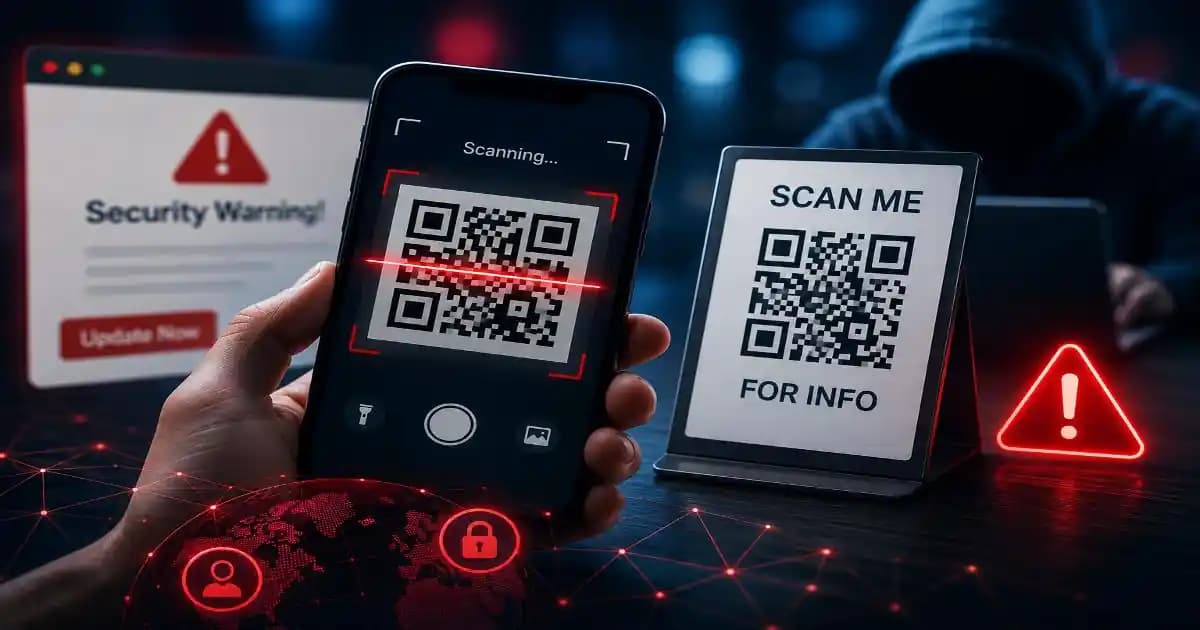
QR code scam attacks can begin with something that feels completely ordinary: you scan a code at a restaurant, parking meter, package, event, poster, payment counter, or even a message on your phone.
The camera recognizes the pattern, a notification appears, and you tap it without thinking much about where it leads. That is precisely where the real risk can begin.
A QR code itself is not usually the dangerous part. It is simply a way to encode information, often a web address. The problem is that you cannot always see the destination before opening it, and attackers can use that gap to redirect people to convincing phishing pages, fraudulent payment screens, malicious downloads, or websites designed to collect personal information.
This technique is commonly called quishing, a term built from QR codes and phishing. The basic trick is simple: replace a suspicious-looking link with a QR code that feels more convenient and less threatening.
What Can a Scammer Do With a QR Code?
Scanning a malicious QR code does not automatically mean your phone has been hacked. In many cases, the QR code simply opens a website.
The danger depends on what happens next.
A malicious QR code may send you to a fake sign-in page designed to capture your username and password. It could imitate a bank, email provider, social network, delivery company, cloud service, or another website you already recognize.
Another QR code might open a payment page. Instead of paying the legitimate business, you could unknowingly send money to an account controlled by a scammer.
Some QR codes can also lead to pages that encourage you to download an application, browser extension, document, or other file. The download may be presented as a necessary update or Verification step.
The QR code therefore acts as the delivery mechanism. The scam usually happens on the website, payment page, download screen, or account-login form that follows.
Why QR Phishing Works So Well
QR codes have become part of normal everyday behavior. People use them to open menus, join Wi-Fi networks, read product information, access event tickets, make payments, and visit websites.
That familiarity creates trust.
Users are also less likely to inspect a QR code's destination than they are to inspect a written web address. When a link appears as text, you can often see the domain before clicking it. With a QR code, the destination is hidden inside the visual pattern until your phone decodes it.
Attackers can take advantage of that convenience.
A fake QR code can be placed over a legitimate one, printed on a sticker, inserted into an email, posted on social media, displayed on a screen, or attached to a physical location where people naturally expect to see one.
The physical environment can make the scam particularly convincing. A QR code next to a parking machine or restaurant table feels trustworthy simply because it is physically present there.
Fake Parking and Payment QR Codes Are Especially Risky
Payment situations create a powerful combination of convenience and urgency.
Imagine parking your car and seeing a QR code that appears to offer a quick way to pay. You scan it, enter your vehicle information, provide card details, and complete the payment.
If the code was replaced by a scammer, you may have just handed financial information directly to an attacker.
The same pattern can appear at restaurants, markets, events, public facilities, or temporary payment locations. A QR code does not prove that the payment destination belongs to the business whose logo appears nearby.
Before entering card details, check the website address and compare it with the organization's official website or normal payment process. If the page looks unusual, asks for unnecessary information, or uses a domain that does not make sense, stop.
What Happens If You Scan a Scam QR Code?
If you scanned a suspicious code but did not open the resulting link, entered information, downloaded anything, or approved a request, the immediate risk may be limited.
If the link opened, look at what the page asked you to do.
A suspicious page requesting a password, payment information, one-time code, identity document, or application download should be treated seriously. Do not continue simply because the page looks professional.
If you entered credentials, assume that those credentials may have been exposed. Change the affected password using the legitimate service's official website or application, and enable stronger authentication if available.
If you entered payment details, contact the relevant bank or payment provider through an official channel and monitor the account for unusual activity.
If you downloaded an unfamiliar application or file, do not open it repeatedly to investigate. Use reputable security software to scan the Device and review recently installed applications.
How to Spot a Malicious QR Code Before Scanning
You do not need to become an expert in QR technology to reduce your risk.
Start by asking why the code is there. Does it belong to the organization you are dealing with? Is it printed professionally, or does it look like a sticker placed over another QR code?
Physical tampering is particularly worth noticing in public places. A legitimate-looking QR code can potentially be covered with another sticker.
Online QR codes deserve the same caution. A code inside an unexpected email, message, advertisement, or social-media post can lead to a phishing page even if the surrounding content looks professional.
When scanning, pay attention to the web address that appears before continuing. A recognizable brand name in the page design is not enough. Look at the actual domain.
Never Trust the Page Just Because the QR Code Worked
One common misconception is that a QR code must be legitimate if a phone recognizes it correctly.
That is not how QR security works.
Your camera or QR scanner is simply decoding information. It does not necessarily determine whether the destination is safe. A QR code pointing to a malicious website can be perfectly readable.
The same principle applies to links received through email or messaging apps. A technically valid link can still lead to a fraudulent destination.
Think of the scan as opening a door. The fact that the door opens does not tell you who is waiting on the other side.
What to Do After Scanning a Suspicious QR Code
- Do not enter sensitive information. If the page requests passwords, card details, security codes, or identity information, stop until you verify the destination.
- Check the URL. Look carefully at the domain rather than relying on logos, colors, or familiar page layouts.
- Close suspicious pages. If something feels wrong, leave the page instead of following additional instructions.
- Change exposed passwords. If you entered a password, change it through the legitimate service and avoid reusing that password elsewhere.
- Secure financial accounts. Contact your bank or payment provider if you entered payment information or sent money.
- Scan unexpected downloads. If a QR code caused an unfamiliar file or application to download, scan the device with reputable security software before continuing to use it normally.
QR Code Payment Scams Are Also a Trust Problem
Quishing is effective because it combines technology with human assumptions.
People tend to assume that a QR code displayed in a restaurant belongs to the restaurant, that a code beside a parking meter belongs to the parking operator, or that a payment code shared in a message belongs to the person requesting money.
Those assumptions are convenient, but they are not authentication.
For important payments, use the organization's normal application or website when possible. If someone sends you a QR code to receive or send money, independently confirm the payment details before completing the transaction.
For businesses, it is also useful to make QR-code destinations easy for customers to verify. Clear branding, official domains, secure payment processes, and instructions for identifying legitimate codes can reduce confusion.
Can a QR Code Hack Your Phone?
The phrase “QR code hacked phone” can make the situation sound more automatic than it really is.
Scanning a QR code does not normally mean that your phone is instantly compromised. The greater risk is what the scan encourages you to do afterward.
You may be tricked into entering credentials, approving a login, downloading an application, installing a configuration profile, making a payment, or granting permissions.
That distinction matters because it gives you control. If you recognize the suspicious step before completing it, you can often stop the attack.
The Safest QR Code Habit Is Simple
QR codes are useful, and there is no need to stop using them. The important change is to treat a QR code as an unverified link rather than as a trusted shortcut.
Before entering information, check where the code leads. Before paying, confirm the recipient and payment destination. Before downloading anything, verify the source. And if a QR code creates unusual urgency or asks for information that does not fit the situation, stop.
A malicious QR code does not need sophisticated technology to cause damage. It only needs to move you from a familiar physical or digital environment to a destination where the scammer controls what happens next.
That is why the most useful response to a suspicious QR code is not panic. It is a pause.