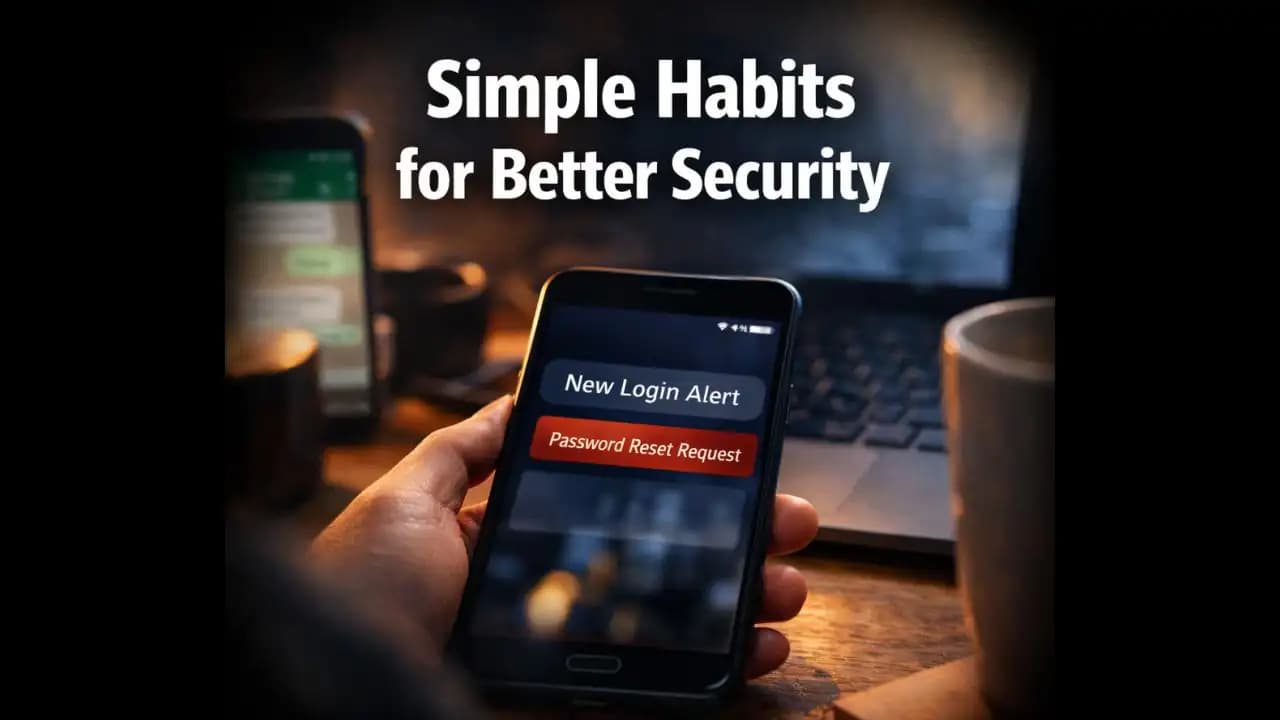
Protect online accounts tips often become important only after something unusual happens like a login alert, a strange message from a friend, or a password reset you never requested. Many people first think about account security when their phone suddenly displays a message saying, “We noticed a login attempt from a new device.”
That moment can be confusing. You might wonder whether it’s a mistake, a glitch, or someone trying to access your Account. The truth is that most account security problems don’t start with sophisticated hacking. They begin with small everyday habits that quietly weaken online safety over time.
The good news is that simple daily practices can make a significant difference.
A Situation Many Smartphone Users Experience
Imagine finishing dinner and picking up Your Phone for a quick scroll through social media. A notification appears from your email provider:
"New login detected. Was this you?"
The login attempt is from a city you’ve never visited.
You open your email account quickly. Everything still looks normal, but the Message leaves you uneasy.
Later, something else happens.
A friend sends a WhatsApp message asking:
"Did you just send me a strange link?"
You didn’t.
Moments like this are surprisingly common. Many users only realize the importance of protecting their online accounts after seeing unusual alerts, unknown login attempts, or Message (1)s sent from their accounts without their knowledge.
In most cases, these situations happen because basic Security habits were overlooked.
Why People Are Seeing More Login Alerts Recently
Over the past year, more users have reported Unexpected login notifications from apps like email services, Social platforms, and banking apps.
There are a few reasons for this.
First, cybercriminals are constantly testing stolen usernames and Passwords from previous data breaches. These credentials often circulate on underground forums and are used in automated Login Attempts.
Second, many people reuse the same password across multiple Websites. If one service is compromised, attackers may try the same password on other platforms.
Finally, Security systems themselves have become more active. Many apps now send alerts whenever they detect unusual Activity, such as a login from a new Device or Location.
In recent months, especially throughout 2024 and 2025, these alerts have become more common because platforms are tightening security.
While the alerts are helpful, they also highlight how vulnerable Online Accounts can be when basic precautions are Ignored.
Small Habits That Often Lead to Account Problems
Most account breaches don’t happen because someone targeted a specific person. Instead, they happen because of everyday habits that make accounts easier to Access.
Here are some of the most common ones.
Reusing the Same Password Everywhere
Many people use one password for multiple services email, social media, shopping sites, and streaming apps.
It feels convenient, but it also creates risk.
If one website experiences a data breach, attackers may test that same password on other services.
Ignoring Security Notifications
Sometimes people Receive Login Alerts and assume they are harmless.
For example:
"New login from Chrome browser"
"Account accessed from another device"
If the notification is ignored, a real intrusion might go unnoticed.
Clicking Links Without Checking Them
Phishing Messages remain one of the most effective ways attackers gain access to accounts.
These messages often look legitimate.
Examples include:
"Your account will be suspended. Verify your details now."
"Unusual login attempt detected. Confirm your identity."
The link often leads to a fake login page that steals credentials.
Staying Logged In on Shared Devices
Logging into accounts on public or Shared computers without logging out properly can expose accounts to others.
This happens more often than people expect.
Warning Signs Your Account May Not Be Secure
Some small clues suggest that an online account may be at risk.
Recognizing these signs early can prevent bigger problems later.
Watch for things like:
- Unexpected password reset emails
- Login alerts from unfamiliar locations
- Messages sent from your account that you didn’t write
- New devices appearing in your account activity list
- Friends receiving strange links from you
Even one of these signs is worth investigating.
Often, quick action can prevent further damage.
Why Weak Account Security Can Become a Bigger Problem
When people think about account hacking, they often imagine someone reading private messages.
But the consequences can extend further.
An email account, for example, often acts as the master key to other services.
If someone gains access to email, they may be able to reset Passwords for:
- Social media accounts
- Shopping platforms
- Cloud storage services
- Online banking portals
This chain reaction is why attackers often target email accounts first.
Another issue is Impersonation. When attackers control a social account, they sometimes send messages to Contacts Asking for money or sharing malicious links.
Friends trust messages from people they know, which makes these scams surprisingly effective.
How Online Account Attacks Have Evolved (2024–2025)
Over the past few years, attackers have refined their methods.
In 2024 and 2025, several trends have become more noticeable.
Automated Password Testing
Attackers now use automated tools that try thousands of username and password combinations across many websites.
This method is known as credential stuffing.
It works surprisingly well when people reuse passwords.
AI-Generated Phishing Messages
Phishing messages have become more convincing. Instead of obvious spelling errors, many now appear professionally written and closely resemble real security notifications.
Account Takeovers on Social Platforms
Some scams now involve hijacking social media accounts and using them to send links to friends.
Because the message comes from a trusted contact, recipients are more likely to click.
Fake Customer Support Messages
Another growing tactic involves scammers posing as support agents.
Users may receive messages like:
"We detected suspicious activity on your account. Please verify your login."
The message includes a link to a fake login page designed to capture credentials.
Simple Habits That Can Make Your Accounts Much Safer
Fortunately, improving account security doesn’t require complicated tools.
Small daily habits can significantly reduce risk.
Use Different Passwords for Important Accounts
Using unique passwords prevents one breach from affecting multiple services.
Password managers can help store and organize them safely.
Turn On Two-Factor Authentication
Two-factor authentication (2FA) adds an extra Verification step when logging in.
Even if someone learns your password, they still need the verification code sent to your phone or authentication app.
Review Account Activity Occasionally
Many platforms show recent login activity.
Checking this occasionally can reveal unfamiliar devices or locations.
Be Careful With Unexpected Links
If a message claims your account needs verification, it’s safer to open the official app or website directly rather than Clicking the link.
This simple step prevents many phishing attempts.
Log Out of Shared Devices
When using a public or borrowed computer, always log out completely after Accessing personal accounts.
It’s a small step that prevents accidental exposure.
Why Awareness Is the Most Powerful Protection
Online security doesn’t depend only on software or strong passwords. It often comes down to awareness.
Most cybercriminals rely on human behavior rather than technical weaknesses. They count on people being busy, distracted, or trusting.
A rushed click, a reused password, or an ignored alert can create an opportunity.
By developing simple habits checking login alerts, using stronger passwords, and questioning Suspicious messages users can dramatically reduce the chances of losing access to their accounts.
Protecting online accounts isn’t about being overly cautious.
It’s simply about staying one step ahead of common mistakes.
Frequently Asked Questions
What are the most important protect online accounts tips?
The most important tips include using unique passwords, enabling two-factor authentication, avoiding suspicious links, and reviewing account activity for unfamiliar logins.
How do hackers usually access online accounts?
Many attackers rely on stolen passwords from data breaches, phishing messages that trick users into entering credentials, or automated login attempts using reused passwords.
Is two-factor authentication really necessary?
Yes. Two-factor authentication adds an extra security layer. Even if someone discovers your password, they cannot access the account without the additional verification code.
What should I do if I receive a login alert I don’t recognize?
Immediately change your password, review recent account activity, log out of unknown devices, and enable two-factor authentication if it isn’t already active.