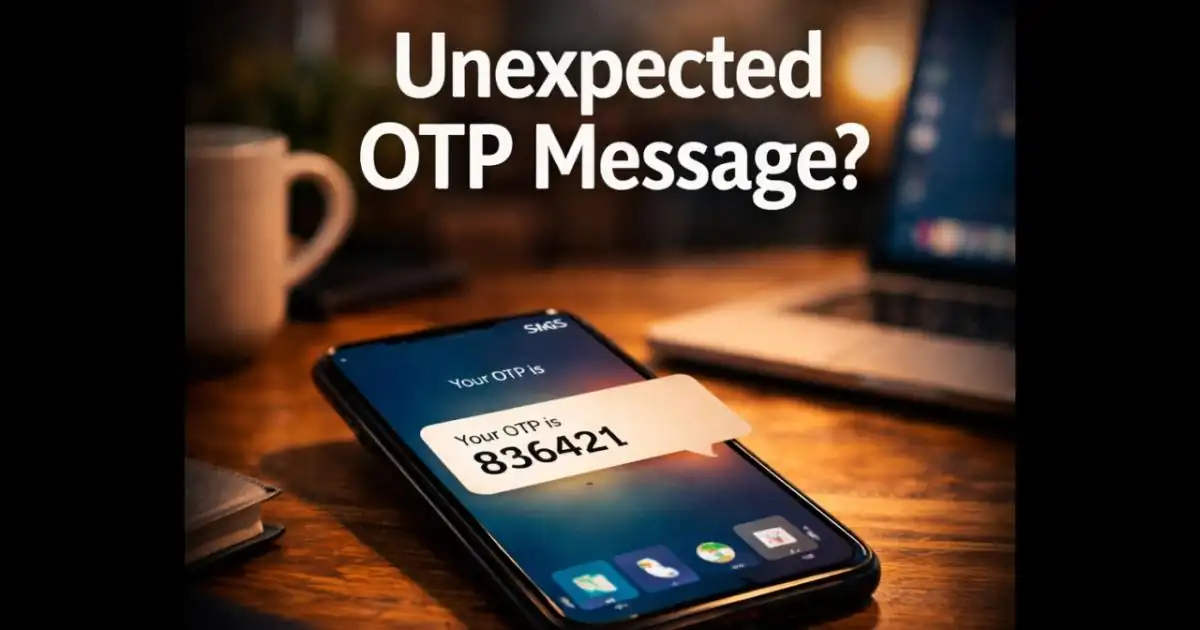
Unexpected OTP message alerts can feel confusing and even alarming. Imagine checking your phone and suddenly seeing a text that says, “Your verification code is 482913. Do not share this code with anyone.” The strange part? You didn’t request any login, password reset, or account verification.
Many Smartphone users have experienced this exact moment. At first, it may seem like a simple mistake. Maybe someone typed the wrong number while signing up for a service. But sometimes, these unexpected OTP messages are a sign that someone else is trying to access your Account.
Understanding why this happens and what you Should do next can help you stay calm and protect your digital Accounts.
A Situation Many Smartphone Users Encounter
It usually starts with a notification sound.
You unlock your phone and see a message from your bank, email provider, or a popular app. The message contains a one-time password (OTP) used for login Verification.
But you weren’t trying to log in.
Many people immediately wonder:
-
- Did someone try to access my account?
- Is my phone number compromised?
- Should I be worried?
This situation has become increasingly common. In recent months, many users have reported receiving unexpected OTP Messages from banking apps, social media platforms, delivery services, and even payment wallets.
Sometimes it happens once and never again. Other times, multiple OTP Messages arrive within minutes.
While not every case indicates an attack, it’s always worth paying attention.
Why People Suddenly Receive OTP Messages They Didn’t Request
There are several Reasons why an Unexpected OTP Message might appear on Your Phone.
The most harmless explanation is a simple mistake.
Someone may have typed the wrong phone number while creating an Account or trying to recover a password. Because your number was entered accidentally, the Verification code gets sent to you.
But there are other possibilities as well.
One common scenario involves automated Login Attempts. If someone tries to sign into an account linked to your phone number, the platform sends an OTP to Verify the Request.
In this case, the OTP message is actually doing its job it’s preventing unauthorized Access.
Another possibility involves scammers trying to trick users into sharing verification codes. For example, a fraudster may start a login process using your number and then quickly send you a message on WhatsApp or SMS pretending to be customer support.
They might say something like:
“Hi, we’re verifying your account. Please share the OTP code you just received so we can complete the process.”
If someone Shares that code, the attacker may gain access to the account.
Warning Signs That the OTP Message May Be Important
Most unexpected OTP Messages are harmless, but certain patterns Should raise your attention.
Multiple OTP Messages in a Short Time
If you receive several verification codes within a few minutes, it may mean someone is repeatedly trying to log in.
OTP From a Service You Use Frequently
For example, receiving a code from your bank, payment app, or primary email account could indicate someone attempted to access it.
Messages Asking You to Share the Code
Legitimate companies never ask you to share OTP codes with another person.
If you receive a message like this:
“Send the OTP to confirm your identity.”
…it is almost certainly a scam attempt.
Login Alert Notifications
Sometimes the OTP arrives alongside another message such as:
“New login attempt detected.”
“Someone tried to access your account.”
In that case, it’s wise to check your account Activity Immediately.
Why Unexpected OTP Messages Can Be Dangerous
At first glance, receiving a verification code might not seem like a serious issue.
After all, if the OTP is sent to your phone, the system is working correctly right?
In many cases, yes.
However, attackers rely heavily on social engineering. Instead of hacking systems directly, they try to manipulate people into giving them the information they need.
OTP codes add another layer of account protection, but attackers may try to obtain them through Phishing, impersonation, or social engineering. If a victim shares a code, an attacker may be able to complete the specific login or transaction that the code was intended to authorise.
For example, a scammer might already know your password from a data leak. But they still need the OTP to complete the login.
If they convince you to share that code, the account becomes vulnerable.
This tactic has been used in scams involving:
-
- Bank accounts
- Messaging apps
- Online shopping platforms
- Cryptocurrency wallets
- Social media profiles
The trick often works because people assume the request is legitimate.
How OTP-Related Scams Work
In the past, most OTP scams relied on simple phone calls pretending to be bank representatives.
But scammers have become more creative.
Many attacks now combine multiple communication channels.
For example:
-
- A scammer triggers an OTP by attempting to log into your account.
- The victim receives the OTP text message.
- Seconds later, the scammer contacts them through WhatsApp, Telegram, or a phone call pretending to be support staff.
Because the OTP message already appeared on the phone, the victim may believe the story.
Another trend involves automated bots sending convincing messages that look like official alerts.
These tactics exploit something simple but powerful: trust in familiar systems.
People trust messages from banks, apps, and verification systems which makes OTP codes a valuable target for fraud.
What You Should Do Immediately If You Receive an Unexpected OTP
If you receive an OTP you didn’t request, the most important step is simple:
Do not share the code with anyone.
Even if someone claims to be customer support or Security staff, the code Should remain private.
After that, take a few quick steps to ensure your accounts remain secure.
Check Your Account Activity
Open the relevant app or service and review recent login activity. Many platforms show where and when login attempts occurred.
Change Your Password (If You’re Unsure)
Review your account activity first. Change your password if you notice unfamiliar access, suspicious password-reset activity, or have reason to believe your credentials were exposed.
Enable Two-Factor Authentication
If the service supports two-factor authentication (2FA), make sure it is enabled.
Ignore Suspicious Messages or Calls
If someone Contacts you asking for the OTP, block and report the number.
Monitor Your Accounts
Over the next few days, watch for unusual activity such as password reset requests or unfamiliar transactions.
A Small Message That Deserves Attention
Unexpected OTP messages are one of those digital moments that can easily be ignored.
But sometimes, they’re a quiet warning sign.
In many cases, the system is simply protecting you stopping someone from Accessing your account without the code.
Still, staying aware of these alerts can help you spot Suspicious behavior early.
Think of OTP messages like a security alarm. Most of the time, they confirm that the protection system is working. But occasionally, they signal that someone tested the door.
When users treat these messages carefully and never share verification codes, they close one of the most common doors scammers try to use.
And in today’s connected world, that simple habit can make a big difference.
Does Receiving an Unexpected OTP Mean Someone Knows Your Password?
Not necessarily. Receiving an unexpected verification code does not automatically mean someone knows your password or has accessed your account.
There are several possible explanations:
- Someone accidentally entered your phone number while creating an account.
- A person attempted to sign in using your phone number or email address.
- Someone initiated a password-reset or account-recovery process.
- A verification message you requested earlier was delivered late.
For example, Microsoft explains that unrequested verification codes can result from an attempted account access, an incorrectly entered phone number or email address, or delayed message delivery.
If you receive only one unexpected code and have no other suspicious account activity, you generally do not need to panic. Do not share the code, and follow the account provider's security recommendations.
However, if the message arrives alongside unfamiliar login alerts, password-reset notifications, or repeated authentication requests, review your account security immediately.
Why Are You Receiving Multiple OTP Messages? Understanding OTP Bombing
Receiving several verification messages within a short period can be confusing. In some situations, repeated automated requests may generate a large number of OTP messages. This behaviour is sometimes described as OTP bombing or SMS bombing.
An attacker or automated system may repeatedly trigger login, registration, or password-reset requests using a phone number. Each request may cause the relevant service to send another verification code.
However, multiple OTP messages do not automatically prove that your account has been compromised. They may also result from repeated mistakes, delayed messages, or legitimate account activity.
What Should You Do If OTP Messages Keep Arriving?
- Do not share any verification code, even if someone contacts you immediately afterwards.
- Identify which service is sending the messages.
- Open that service through its official application or website and review account activity.
- Check for unfamiliar password-reset requests or login notifications.
- Contact the service provider if the messages continue.
- Never install an application or follow an unfamiliar link to stop unwanted OTP messages.
If the messages are accompanied by calls or WhatsApp messages asking you to confirm your identity, treat the interaction with caution. The person contacting you may be attempting to obtain a verification code that was sent to your phone.
What Should Banking Users Do After Receiving an Unexpected OTP?
Unexpected verification messages deserve particular attention when they are connected to banking applications, debit or credit cards, or digital payment services.
scammers may impersonate bank employees, customer support representatives, or KYC verification teams to convince users to reveal sensitive information.
Follow these precautions:
-
- Never share banking OTPs: Do not disclose an OTP, ATM PIN, CVV, password, or UPI PIN to anyone claiming to represent your bank.
- Check your banking application: Review recent transactions and account notifications for unfamiliar activity.
- Verify unexpected requests: Contact your bank using the customer-care number published on its official website or application.
- Do not approve unknown payment requests: A UPI PIN is used to authorise payments. Never enter it simply to receive money.
- Report suspicious transactions immediately: Inform your bank as soon as you notice an unauthorised transaction.
If you have lost money through online financial fraud, call India's cybercrime helpline 1930 immediately and submit a complaint through the National Cyber Crime Reporting Portal.
The Reserve Bank of India also advises customers never to share OTPs, PINs, passwords, or other confidential banking information with anyone, including people claiming to be bank officials.
What If You Accidentally Share an OTP With Someone?
If you have already shared a verification code with someone, do not panic, but act quickly. The next steps depend on which account the OTP was intended to protect and whether the attacker successfully used it.
Take these precautions immediately:
- Open the affected account: Visit the official app or website directly. Do not use links sent by the person who contacted you.
- Change your password: If the code was related to a login or password reset, change the account password using a trusted device.
- Review active sessions: Look for unfamiliar devices, browsers, locations, or login sessions and sign them out.
- Check recovery information: Make sure your recovery email address, phone number, and authentication methods have not been changed.
- Contact the service provider: If you cannot access the account or notice suspicious activity, contact its official support team.
- Contact your bank immediately: If the OTP was related to a banking transaction or you notice an unauthorised payment, inform your bank through its official channels.
For financial cyber fraud in India, report the incident immediately by calling 1930 or visiting the National Cyber Crime Reporting Portal.
Remember that sharing an OTP does not always mean an attacker has successfully accessed your account. However, treating the incident as potentially serious can help limit further damage.
OTP vs Authenticator Apps vs Passkeys: Which Is Safer?
One-time passwords are useful for account verification, but they are not the only authentication option available today. Many online services also support authenticator applications and passkeys.
SMS OTP
A verification code is sent to your registered phone number. It is convenient, but can be exposed through phishing, impersonation, or phone-number-related attacks.
Authenticator App
An application generates time-based verification codes. This reduces dependence on SMS delivery, but codes can still be stolen through phishing.
Passkeys
Passkeys use cryptographic credentials associated with your device and account. They are designed to resist phishing by binding authentication to the legitimate website or service.
Hardware Security Keys
A physical security device is used to authenticate a login. It provides strong phishing-resistant authentication when properly implemented.
Should You Switch to Passkeys?
If a service supports passkeys, consider enabling them. Passkeys use cryptographic authentication instead of asking users to enter a reusable password or manually type a verification code.
They are designed to prevent common phishing techniques because the authentication credential is associated with the legitimate website or application.
Authenticator applications are also a useful alternative when passkeys are unavailable. However, users should remember that even authenticator codes can be tricked out of them through fake login pages or impersonation.
The best option depends on the security methods supported by the service. Regardless of the method, never approve a login or authentication request that you did not initiate.
FAQ
Can someone access my account after triggering an OTP?
Triggering an OTP does not automatically give someone access to your account. They generally need to complete the required verification process. However, an attacker may have other compromised credentials or authentication methods, so review your account security if you notice suspicious activity.
Should I change my password after receiving an unexpected OTP?
Not necessarily. A single unexpected OTP does not prove that your password has been compromised. Do not share the code, and review your account activity. Change your password if you notice suspicious access, receive an unfamiliar password-reset notification, or believe your credentials may have been exposed.
What is OTP bombing?
OTP bombing refers to repeated automated requests that generate a large number of verification messages to a phone number or email address. It may be used to annoy or distract someone, but repeated OTP messages alone do not prove that an account has been compromised.
What should I do if I receive an unexpected bank OTP in India?
Never share the OTP, UPI PIN, ATM PIN, or CVV with anyone. Check your official banking application for unfamiliar activity. If you notice an unauthorised transaction, contact your bank immediately and report financial cyber fraud through helpline 1930 or cybercrime.gov.in.
Are passkeys safer than SMS verification codes?
Passkeys are designed to resist phishing by using cryptographic credentials associated with the legitimate website or service. SMS verification codes can be entered into fake login pages, making them more vulnerable to phishing. Passkeys are a strong option when supported by the service.
Why did I receive an OTP message if I didn’t request one?
Someone may have accidentally entered your phone number while logging in or creating an account. In some cases, it could also mean someone attempted to access your account.
Should I worry if I receive a random OTP message?
Usually it’s not a major problem, especially if it Happens once. However, repeated OTP messages may indicate login attempts, so it’s worth checking your account security.
Can scammers access my account if they send me an OTP?
No. They cannot access the account unless they obtain the OTP code from you. That’s why scammers often try to trick users into sharing it.
What is the safest thing to do after receiving an unexpected OTP?
Do not share the code, check your account login activity, and change your password if you suspect someone may be trying to access your account.
Official Sources and Further Reading:
1. Google Account Help – When Google Might Send You a Text Explains why Google sends verification codes and what to do with an unexpected code.
2. Microsoft Support – Troubleshoot Verification Code Issues Explains possible reasons for receiving Microsoft verification codes that you did not request.
3. Login.gov – I Am Receiving One-Time Codes That I Did Not Request Provides guidance on unexpected security codes and account protection.
4. Reserve Bank of India – Precautions Against Financial Cyber Fraud Banking security guidance and precautions against sharing confidential information.
5. NPCI – UPI Frequently Asked Questions Explains UPI PIN usage and important safety precautions.
6. Government of India – National Cyber Crime Reporting Portal Official portal for reporting cybercrime and financial fraud.
7. FIDO Alliance – Passkeys Explains how passkeys work and why they provide phishing-resistant authentication.