Infostealer malware is one of the easiest cyber threats to underestimate because the first sign of an infection may not look like an attack at all. A computer can appear normal while malicious software quietly searches browsers, applications and local files for information that can later be used to access accounts.
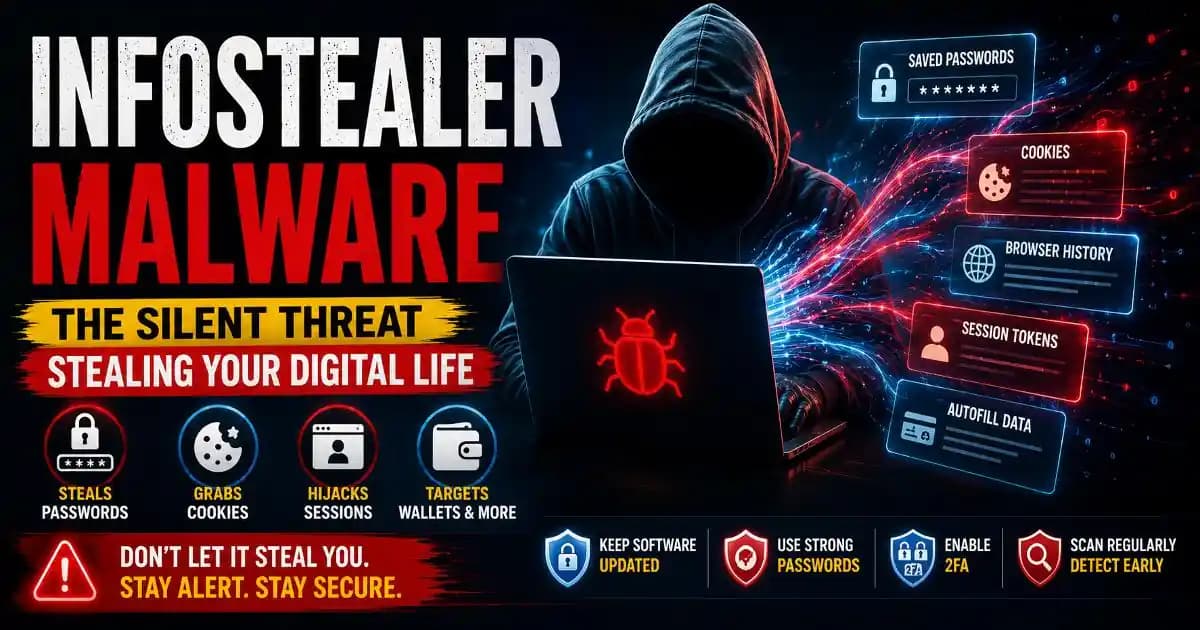
That makes infostealers different from the malware people traditionally imagine. There may be no locked screen, dramatic warning or obvious slowdown. Instead, the attacker may be interested in the information already sitting inside your browser: saved passwords, cookies, session tokens, autofill information and other account-related data.
Microsoft's recent security research shows how modern infostealers have expanded across Windows and macOS environments and are increasingly delivered through phishing, malicious Advertising, fake software, deceptive browser pages and other social-engineering techniques. ([Microsoft][1])
What Is Infostealer Malware?
Infostealer malware is malicious software designed to collect valuable information from an infected device and send that information to an attacker. The exact capabilities vary by malware family, but the objective is usually straightforward: collect credentials and other data that can be monetized or used to gain access to Online Accounts.
Unlike ransomware, which announces itself by encrypting files, an infostealer often benefits from staying quiet. The longer it remains unnoticed, the more useful information it may be able to collect.
Depending on the malware and operating system, an infostealer may look for browser passwords, cookies, session information, autofill records, cryptocurrency wallet information, files and other credentials. Microsoft's documentation for Lumma Stealer, for example, describes its ability to target browser credentials, cookies and financial information. ([Microsoft][2])
How Infostealer Malware Steals Browser Data
The modern browser has become much more than a place to read websites. For many people it is effectively a digital identity layer. Email, social networks, shopping accounts, work platforms, cloud storage and financial services may all be accessible from a browser where login information and active sessions are stored.
That concentration of information is convenient for users, but it also creates an attractive target. Infostealer malware can search browser-related storage and attempt to extract information that helps an attacker understand or reuse the victim's digital access.
Browsers generally protect stored credentials using encryption and operating-system security mechanisms, so this is not simply a case of an attacker opening a normal password database and reading everything. Malware running with sufficient access on an already compromised device can attempt to interact with the same local environment and obtain protected information. CISA documents browser credential theft as an established attack technique across Windows, macOS and Linux environments. ([CISA][3])
Cookies create another concern. A login cookie can represent an already authenticated browser session. If an attacker obtains a valuable session token, the attacker may sometimes be able to use that session without knowing the original password. This is why browser security and account security are connected more closely than many users realize.
Why Passwords Are Not the Only Target
It is tempting to think that changing a password solves everything after malware is discovered. It is an important step, but it may not be sufficient on its own.
Imagine signing into an account on Monday and allowing the browser to remember the session. On Tuesday, malicious software reaches the computer. If it obtains information associated with that session, the attacker may be interested in the authenticated state rather than only the password.
This is one reason security teams increasingly discuss cookies, session tokens and authentication data alongside passwords. Microsoft has specifically documented infostealers capable of collecting browser credentials and session information, while its broader security reporting describes stolen credentials and tokens being used as access points in larger criminal operations. ([Microsoft][1])
The practical lesson is simple: an infected device should be treated as a security problem, not merely a password problem.
How Do People Get Infostealer Malware?
Infostealers rarely need a sophisticated movie-style hacking scene to reach a victim. Many infections begin with an ordinary decision made under pressure or convenience.
A person may search for a free version of paid software, download an unofficial installer, open a malicious attachment, click a convincing advertisement or follow instructions on a fake browser-error page. Other campaigns use phishing Messages or social engineering to persuade users to install something that appears legitimate.
Microsoft has reported infostealers being distributed through malvertising, SEO poisoning, cracked software and ClickFix-style deception. In these campaigns, the attacker often focuses as much on convincing the user as on the malware itself. ([Microsoft CDN][4])
This is where phishing detection and basic digital awareness become important. The download itself may look harmless. The danger can be hidden behind urgency, fake verification messages, copied branding or an offer that seems unusually convenient.
What Can Stolen Browser Data Be Used For?
The value of stolen information depends on what was collected and what accounts it can unlock. Credentials can potentially be reused against personal accounts, while session information may provide another route into services where the victim is already authenticated.
Attackers can also combine stolen information. A browser profile may reveal account credentials, email addresses, browsing context, saved payment information or other clues about the victim. In business environments, compromised credentials can potentially expose cloud services, developer systems or corporate applications.
Microsoft's 2026 research describes infostealers targeting browser credentials, session data, cloud credentials and developer secrets across multiple environments. It also notes that stolen credentials can contribute to account takeovers and broader intrusions. ([Microsoft][1])
This is why an infostealer infection can become more serious than the original device compromise. The stolen information may continue to have value after the malware itself has disappeared.
Signs That Your Device Could Be Infected
There is no single symptom that proves an infostealer is present. Some infections can be difficult to notice, particularly when the malware is designed to collect information quietly.
Unexpected account logins, unfamiliar password-reset notifications, new security alerts, unexplained changes to browser settings or suspicious activity across several accounts can justify investigation. However, these signs do not automatically prove that an infostealer caused the problem.
If you believe a device may be compromised, avoid using it for sensitive account recovery until it has been checked. Use a trusted device to review important accounts, change passwords where appropriate and revoke active sessions when the service provides that option.
How to Protect Against Infostealer Malware
Protection starts before an infection occurs. Keep your operating system, browser and security software updated, and avoid downloading software from unofficial sources simply because it is free or easier to obtain.
Use unique passwords and strong account security practices so that a compromised credential does not automatically expose every service you use. Where supported, use phishing-resistant authentication such as passkeys or security keys. Multi-factor authentication remains valuable even though it does not eliminate every type of attack. Microsoft recommends stronger authentication methods alongside endpoint protection when discussing infostealer-related threats. ([Microsoft][5])
It is also worth reducing unnecessary browser exposure. Review saved passwords, remove extensions you no longer need and be cautious about installing browser extensions from unfamiliar developers. Your browser security habits matter because the browser increasingly holds the keys to much of your online life.
If malware is confirmed, do not assume that deleting the suspicious application is the end of the incident. Scan the device with a trusted security product, update the system, review important accounts from a clean device and consider signing out active sessions. For valuable accounts, check recovery email addresses, phone numbers, authentication methods and recent login activity.
The Bigger Lesson About Infostealer Malware
Infostealer malware is important because it changes the way we should think about digital security. The attacker does not necessarily need to break into every account individually. Sometimes the more valuable target is the device where those accounts are already being used.
That makes everyday software choices part of cybersecurity. A fake installer, suspicious browser extension or deceptive verification page can become the starting point for a much larger compromise.
The most useful mindset is not to panic about every download or login notification. It is to understand where sensitive information lives, recognize suspicious software behavior and treat the device itself as part of your identity infrastructure.
Passwords still matter. Authentication still matters. Security software still matters. But modern account protection also depends on keeping the environment around those credentials trustworthy.
Frequently Asked Questions About Infostealer Malware
What is infostealer malware?
Infostealer malware is malicious software designed to collect sensitive information such as browser credentials, cookies, session data, financial information or other valuable files from an infected device.
Can infostealer malware steal saved browser passwords?
Some infostealers are specifically designed to target credentials stored by browsers. Modern browsers use security protections, but malware operating on a compromised device may attempt to access protected browser data.
Can an infostealer steal cookies?
Yes, some infostealers target browser cookies and session information. Stolen session data can potentially help attackers access accounts without simply knowing the victim's password.
What should I do if I think my computer has an infostealer?
Use a trusted device to secure important accounts, change affected passwords, revoke active sessions where possible, enable stronger authentication and scan or remediate the suspected device with reputable security software.
Does antivirus stop infostealer malware?
Security software can detect and block many threats, but no single defense is perfect. Keeping software updated, avoiding suspicious downloads and using strong authentication adds important layers of protection.
[1]: https://www.microsoft.com/en-us/security/blog/2026/02/02/infostealers-without-borders-macos-python-stealers-and-platform-abuse/ "Infostealers without borders: macOS, Python stealers, and platform abuse | Microsoft Security Blog"
[2]: https://www.microsoft.com/en-us/wdsi/threats/malware-encyclopedia-description?Name=Trojan%3AWin64%2FLummaStealer "Trojan:Win64/LummaStealer threat description - Microsoft Security Intelligence"
[3]: https://www.cisa.gov/eviction-strategies-tool/info-attack/T1555.003 "| CISA"
[4]: https://cdn-dynmedia-1.microsoft.com/is/content/microsoftcorp/microsoft/bade/documents/products-and-services/en-us/security/Microsoft-Digital-Defense-Report-2025-v5-21Nov25.pdf "Microsoft Digital Defense Report 2025 – Safeguarding Trust in the AI Era"
[5]: https://www.microsoft.com/en-us/security/blog/2025/05/21/lumma-stealer-breaking-down-the-delivery-techniques-and-capabilities-of-a-prolific-infostealer/?msockid=2a8fef2ef2eb6c213192f993f3216d36 "Lumma Stealer: Breaking down the delivery techniques and capabilities of a prolific infostealer | Microsoft Security Blog"