Suspicious link detection often begins with a moment that feels completely ordinary. You receive a message on WhatsApp, SMS, or email with a link that seems harmless maybe a delivery notification, a bank alert, or a message from a friend. It might say something like “Your package is waiting” or “Verify your account now.” At first glance, it looks legitimate. But one tap on that link could take you to a fake website designed to steal your login details or personal information.
For many people, these links appear during busy moments when there is little time to think. Understanding how to recognize Suspicious (1) links before clicking them can prevent many common Online scams.
A Situation Many People Experience on Their Phones
Picture this situation.
You receive a message that looks urgent:
SMS: “Your bank account has been temporarily restricted. Verify your details here: http://secure-update-bank.com”
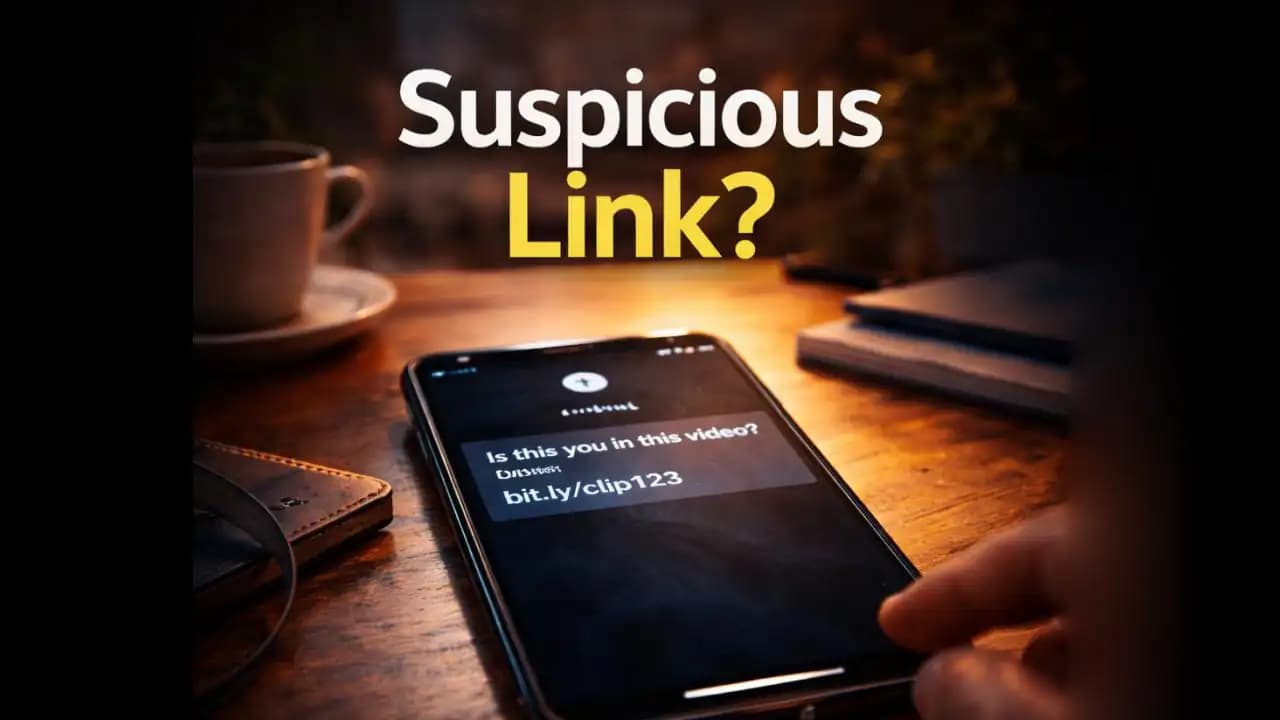
Or a message arrives on WhatsApp:
WhatsApp message: “Hey, is this you in this video? https://shortvideo-share.net/clip123” (1)
Sometimes the Message even appears to come from someone you know.
Because the Message (1) feels personal or urgent, many people click without hesitation.
But when the link opens, the page may ask for:
- Login credentials
- One-time verification codes
- Banking information
- Personal details
At that moment, the attacker may already be Collecting sensitive data.
This is why suspicious link detection has become one of the most important digital safety habits for smartphone users.
Why Suspicious Links Appear So Frequently
Suspicious Links have become extremely common because they are easy for attackers to distribute.
Unlike complex hacking techniques, sending malicious links requires very little effort.
Scammers often rely on:
- Mass SMS campaigns
- Social media messages
- Fake emails
- Compromised accounts
In many cases, attackers send thousands of Messages hoping that a small percentage of people will click.
Even if only a few people respond, the scam can still be profitable.
Many recent scams work because they mimic familiar services such as:
- Delivery companies
- Banks
- Streaming platforms
- Social media accounts
These messages rely on something simple but powerful: trust and urgency.
Warning Signs That a Link Might Be Suspicious
Many malicious links share similar patterns.
Learning to recognize these patterns can help you pause Before clicking.
The link contains strange domain names
Legitimate companies usually use simple domain names.
For example:
- amazon.com
- paypal.com
- netflix.com
Suspicious links often contain unusual variations like:
- amazon-support-login.net
- secure-paypal-update.com
- netflix-verification-now.org
The words may look convincing, but the domain is not official.
The message creates urgency
Attackers frequently use pressure to make people act quickly.
Common phrases include:
- “Your account will be locked today.”
- “Verify immediately.”
- “Suspicious activity detected.”
- “Last chance to confirm your account.”
Urgency reduces the chance that someone will stop and inspect the link.
Shortened links hide the destination
Many suspicious messages use shortened URLs such as:
- bit.ly links
- tinyurl links
- random short codes
These links hide the actual destination website.
Because you cannot see the real address, it becomes harder to evaluate whether the link is legitimate.
The message feels slightly unusual
Even when attackers impersonate real companies or Friends, small details often feel wrong.
For example:
- Slight grammar errors
- Odd wording
- Messages sent at unusual times
- Requests that seem unrelated to the conversation
Trusting your instinct can often prevent mistakes.
Why Clicking the Wrong Link Can Be Dangerous
A single click can trigger several types of online threats.
In many scams, the link leads to a fake login page that looks identical to a real service.
For example, attackers may clone the appearance of:
- Online banking portals
- Email login pages
- Social media login forms
When victims enter their credentials, the information is Immediately captured.
Other links may Attempt to download malicious files or redirect users Through multiple websites designed to collect data.
Some scams also attempt to steal one-time verification codes used for two-factor authentication.
This technique allows attackers to bypass Security Protections and take control of Accounts.
Because Smartphones store so much Personal information, the impact can be serious.
How These Link Scams Have Evolved in Recent Years
Several years ago, suspicious links were easier to recognize.
Messages often contained obvious spelling mistakes or strange formatting.
But between 2024 and 2025, scam messages have become more convincing.
Attackers now use:
- Professional-looking website clones
- AI-generated text that appears natural
- Realistic branding and logos
- Compromised social media accounts
In some cases, scammers even hijack legitimate conversations.
For example, a hacked WhatsApp account may send links to friends in the contact list.
Because the message appears to come from someone trusted, recipients are more likely to click.
This technique has been increasingly reported in recent months.
Simple Ways to Check a Link Before Clicking
Fortunately, avoiding malicious links usually requires only a few seconds of caution.
Pause before tapping
Most scams rely on quick reactions.
Taking a moment to inspect the message can reveal obvious Warning signs.
Look closely at the domain name
Before clicking, carefully read the full web address.
If the domain contains unusual words or extra characters, it may not belong to the company it claims to represent.
Hover or preview links when possible
Some Messaging apps allow you to preview links before opening them.
This preview can reveal the actual destination.
Verify messages through official sources
If a message claims to come from a bank, Delivery company, or service provider, visit the official website or app directly instead of using the link.
Ask the sender if the message was intentional
If a link comes from a friend or coworker, send a quick confirmation message.
Accounts can sometimes be compromised without the owner realizing it.
A Small Habit That Prevents Many Scams
One of the simplest digital safety habits is learning to treat every unexpected link with caution.
You do not need advanced technical knowledge to avoid most link-based scams.
Instead, focus on three simple questions:
- Who sent this message?
- Does the link look official?
- Is there pressure to act immediately?
If something feels slightly off, it is usually worth investigating further.
Most legitimate services do not require urgent actions through random links.
Staying Calm in a World Full of Links
Modern communication depends heavily on links.
We Receive them through emails, text messages, Social Media, and messaging apps every day.
Most of these links are harmless.
But attackers rely on the fact that people rarely stop to evaluate them.
Developing the habit of suspicious link detection allows users to recognize potential threats before they cause harm.
A few seconds of attention can make the difference between staying secure and accidentally exposing personal information.
The goal is not to fear every link.
It is simply to slow down long enough to make sure the destination is trustworthy.
Frequently Asked Questions
What is suspicious link detection?
Suspicious link detection is the process of identifying potentially Dangerous links before clicking them by examining domain names, message context, and warning signs.
Can clicking a suspicious link infect my phone?
Yes, some links can lead to malicious websites or downloads that attempt to steal personal data, install harmful software, or trick users into entering login information.
Are shortened links always dangerous?
No, many shortened links are legitimate. However, they hide the final destination, which means users should treat them cautiously, especially when sent unexpectedly.
What should I do if I accidentally click a suspicious link?
Close the page immediately and avoid entering any personal information. If you entered credentials, change your passwords and monitor your accounts for unusual Activity.