


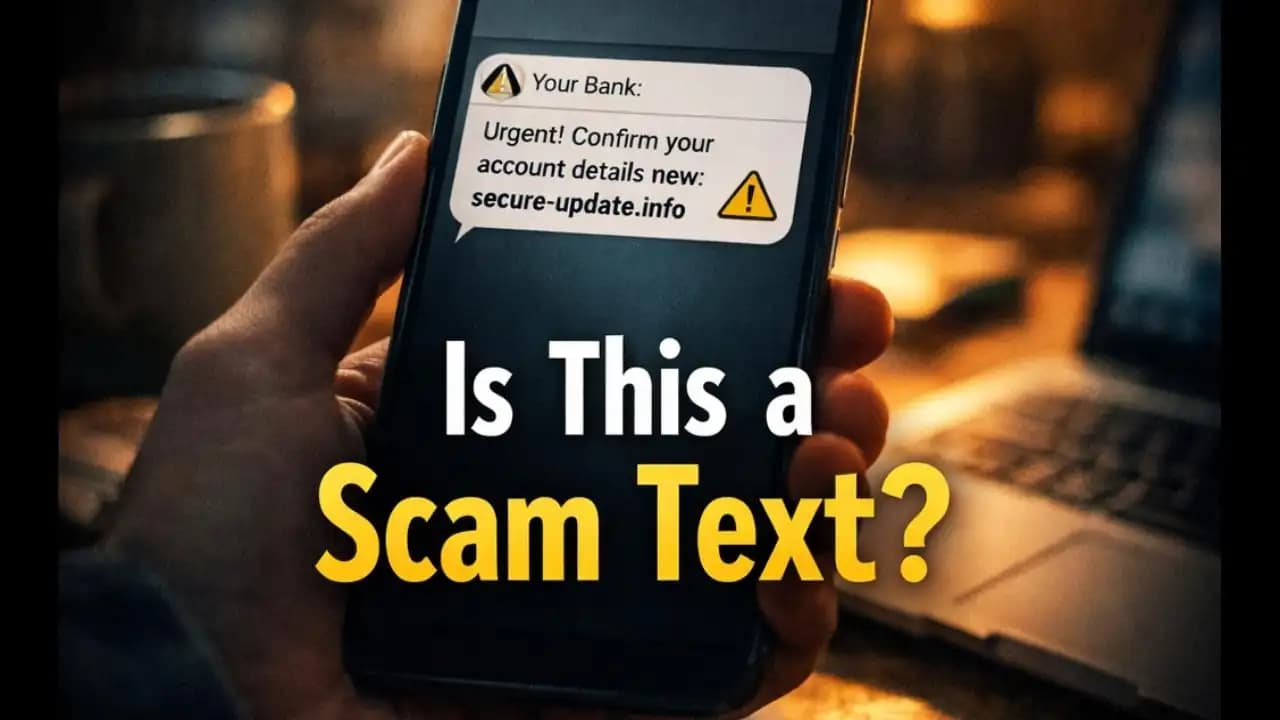
Bank details SMS scam messages are becoming increasingly common, and many people first notice them during an ordinary day a text arrives claiming to be from their bank, asking them to “confirm your bank details to avoid account suspension.” The message often looks urgent and official. It may include the bank’s name, a warning about suspicious activity, and a link to verify information immediately.
At first glance, it feels legitimate. After all, banks do contact customers about security issues. But these Messages are often part of a widespread fraud tactic designed to trick people into giving away sensitive financial information.
Understanding how these Message (1)s work and why they appear so convincing can help you avoid becoming the next target.
The Situation Many Smartphone Users Are Experiencing
For many people, the experience begins with a Simple notification on their phone.
A message might look something like this:
“Dear customer, unusual activity detected on your Account. Please confirm your bank details immediately to prevent Suspension: secure-check-update[.]com”
Or:
“Your debit card has been temporarily restricted. Confirm your bank details within 24 hours to restore Access.”
The message often includes:
- A bank name or logo
- A shortened link
- A warning about account suspension
- A deadline to act quickly
Because these texts arrive directly on a phone the same place real banks send transaction alerts many users initially assume the Message is genuine.
Some People click the link Immediately, worried about losing Access to their Account. Others pause and wonder whether the Message is legitimate.
That moment of uncertainty is exactly what Scammers rely on.
Why People Are Suddenly Seeing More of These Messages
The rise of bank-related SMS scams isn’t accidental.
Over the past few years, fraud groups have discovered that text Messaging is one of the most effective ways to reach potential victims. Unlike email spam, which often lands in junk folders, SMS messages appear directly in the main inbox of a phone.
Several factors explain why these scams have increased in recent months:
1. SMS messages feel more trustworthy.
People tend to associate text alerts with real services such as Delivery Updates, bank notifications, or Verification codes.
2. Phone numbers are widely available.
Scammers often obtain phone numbers from data leaks, marketing lists, or automated number generation tools.
3. Banks frequently communicate by SMS.
Because legitimate banks send balance alerts or transaction notifications, scammers copy the same communication style.
By mimicking real bank messages, fraudsters create a situation where the scam blends into everyday phone Activity.
Warning Signs That an SMS About Bank Details Is Suspicious
Although these messages can look Convincing, several Warning signs usually reveal the scam.
Recognizing these small details can prevent a costly mistake.
The message asks for sensitive information
Legitimate banks almost never ask customers to confirm full bank details through a text message.
Requests for information such as:
- Full account numbers
- Online banking passwords
- ATM PIN codes
- One-time verification codes
are strong indicators of fraud.
The message creates urgency
Many scam messages include warnings like:
- “Act immediately”
- “Account will be suspended”
- “Verify within 24 hours”
This sense of urgency is intentional. It pressures users into reacting quickly without Verifying the message.
The link does not match the bank’s official website
A typical scam message might include links such as:
- bank-secure-check[.]info
- verify-account-update[.]com
- bank-alert-service[.]net
These addresses may look official at first glance, but they are not real bank websites.
Fraudsters often design fake login pages that look almost identical to the genuine banking website.
The message contains unusual formatting or language
Another common sign is awkward wording or unusual formatting.
Examples include:
- Random capitalization
- Grammar mistakes
- Generic greetings like “Dear Customer”
While some scam messages are well written, many still contain subtle clues that something isn’t right.
Why These Messages Can Be Dangerous
At first glance, Clicking a link in an SMS might not seem like a big risk. But these scams are carefully designed to collect information that criminals can use Immediately.
When someone enters their details on a fake website, scammers may gain access to:
- Online banking credentials
- Card information
- Personal identity data
Once they have this information, several things can happen quickly.
Fraudsters may Attempt to log into the real bank account, initiate unauthorized transfers, or make Online purchases.
In some cases, the scam also asks for a one-time password sent by the bank. This allows attackers to bypass Security checks and complete transactions.
The entire process can take only minutes.
How These Scams Have Evolved in Recent Years
SMS banking scams are not new, but they have become significantly more sophisticated.
In earlier years, scam messages were often easy to spot because they contained obvious spelling mistakes or strange links.
However, patterns observed during 2024 and 2025 show that fraud tactics have improved in several ways.
Impersonation has become more accurate.
Scammers now copy real bank communication formats, including logos, message templates, and security warnings.
Messages sometimes appear in existing SMS threads.
In some cases, fake messages appear within the same conversation where legitimate bank alerts are received. This technique makes the scam look more believable.
Fake websites are more realistic.
Fraud sites now mimic the design of real banking portals, including login forms and security messages.
Because these tactics are becoming more convincing, even careful smartphone users can occasionally feel unsure about whether a message is real.
Simple Ways to Protect Yourself From Bank SMS Scams
Fortunately, avoiding these scams does not require technical knowledge. A few simple habits can make a big difference.
Never click links in unexpected bank messages
If you receive a message asking you to confirm bank details, do not click the link directly.
Instead, open your bank’s official Mobile app or type the bank’s website address manually into your browser.
Contact your bank using official channels
If a message claims there is a problem with your account, call your bank using the number listed on its official website or on the back of your debit card.
Avoid using any phone numbers included in the Suspicious message.
Do not share one-time passwords or login details
Banks repeatedly remind customers that security codes and passwords should never be shared through messages or websites reached through unknown links.
If a page asks for such information unexpectedly, it is likely fraudulent.
Report suspicious messages
Many countries now encourage users to report scam messages to telecom providers or national fraud reporting systems.
Reporting helps authorities track emerging fraud campaigns and warn other users.
A Final Thought: When a Message Creates Pressure, Pause
Smartphones have made banking incredibly convenient. Paying bills, transferring money, and checking balances can now happen in seconds.
But the same convenience also gives scammers new ways to reach people.
The bank details SMS scam works not because people are careless, but because the message often arrives during a normal moment while commuting, working, or handling everyday tasks. When a message warns about account problems, reacting quickly feels natural.
Taking a brief pause before responding can prevent serious financial loss.
If a message ever asks you to confirm sensitive bank information through a link, treat it as suspicious until proven otherwise. A quick check through official channels is always safer than trusting an unexpected text.
Frequently Asked Questions
Is it normal for banks to ask for bank details through SMS?
No. Most banks do not ask customers to confirm sensitive information such as passwords, PINs, or full account numbers through SMS. If a message asks for these details, it is likely a scam.
What should I do if I clicked a suspicious bank SMS link?
If you clicked a link but did not enter any information, close the page immediately. If you entered banking details, contact your bank right away so they can secure your account.
Why do scammers target people through SMS instead of email?
SMS messages appear directly in a phone’s main inbox and are often read quickly. Because many services use text alerts, scam messages can blend in with legitimate notifications.
How can I check if a bank message is genuine?
The safest way is to open your bank’s official app or visit the bank’s website manually. You can also call your bank using the official number printed on your card or on the bank’s website.






