


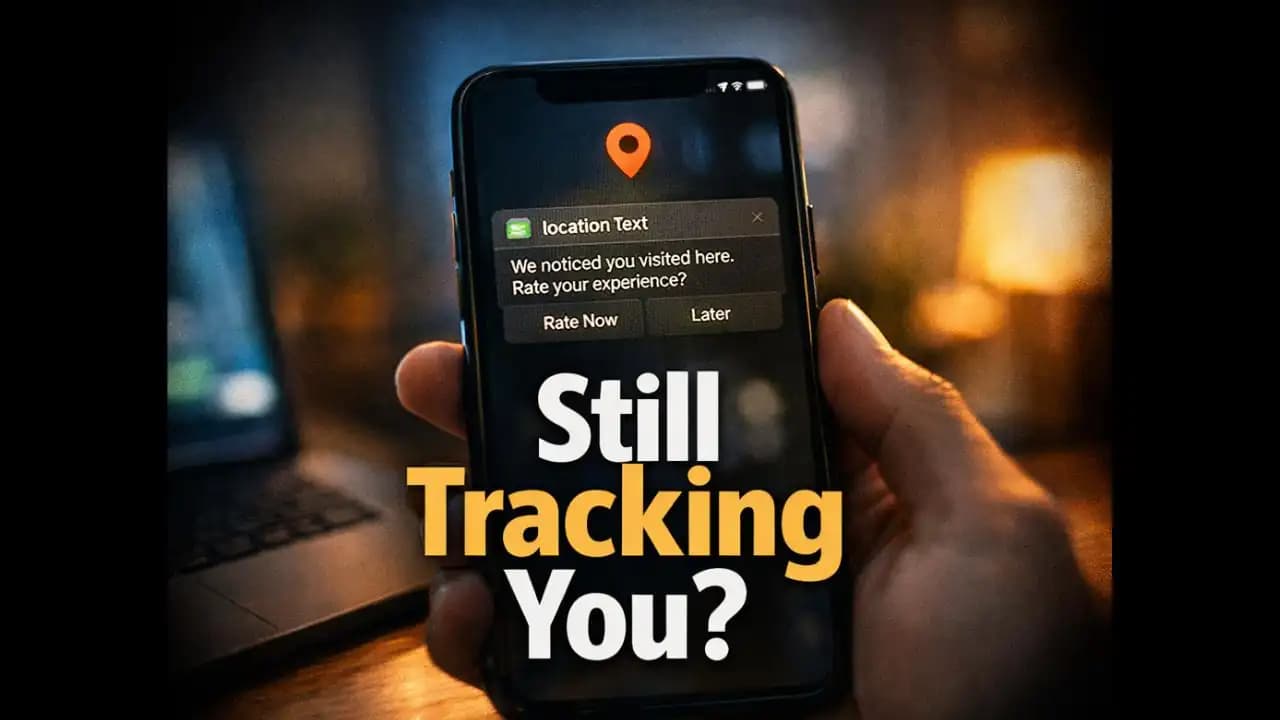
Apps tracking location in background can feel unsettling the moment you notice it. You close an app after checking directions or ordering food, but hours later, your phone still shows location activity. Maybe your battery drains faster, or you see location indicators turning on unexpectedly. It leaves you wondering if the app is closed, why is it still tracking you?
This is something many smartphone users have quietly experienced over the past year, especially as apps become more advanced and deeply integrated into daily life.
A Situation Many People Don’t Notice Right Away
Imagine this.
You use a ride-hailing app in the morning. After reaching your destination, you close it completely. Later in the day, you open your phone settings and notice something oddthe app has accessed your Location multiple times throughout the day.
Or maybe you receive a notification like:
“We noticed you visited this place. Would you like to rate it?”
You pause and thinkI didn’t even open the app again.
This is where confusion begins. For most people, “closing an app” feels like ending its Activity. But in reality, many apps continue running certain processes in the background, especially when they have permission to do so.
Why Apps Continue Tracking Location After You Close Them
There isn’t always a single reason. Instead, it’s usually a mix of app design, Permissions, and business needs.
1. Background Permissions Are Still Active
When you install an app, it often asks for location Access. Many users select:
- “Allow all the time”
- Or tap “Allow” without thinking twice
This gives the app permission to Access (1) your location even when it’s not actively open.
Once granted, the app doesn’t need to “restart” to track youit Continues silently.
2. Apps Are Designed to Stay Partially Active
Closing an app from your screen doesn’t fully shut it down.
Many apps continue Running lightweight processes in the Background for Things like:
- Sending notifications
- Updating data
- Syncing information
Location Tracking is often part of this background activity.
3. Features That Depend on Continuous Location
Some apps justify background tracking for convenience. For example:
- Navigation apps track movement for traffic updates
- Delivery apps monitor routes
- Fitness apps record steps and distance
While these features can be useful, they also mean the app remains active even when not visible.
4. Data Collection and Personalization
In recent years, apps have increasingly used location data to:
- Personalize ads
- Suggest nearby places
- Improve user engagement
This is one of the less obvious Reasons why location tracking continues quietly in the background.
Common Signs That Location Tracking Is Still Active
Most users don’t actively check for this. But there are small signals Your Phone gives.
Look for these signs:
- A location icon appearing randomly on your screen
- Battery draining faster than usual
- Apps showing location activity in settings history
- Notifications referencing places you recently visited
Sometimes, users only notice after checking detailed app Permissions.
Why This Can Be More Concerning Than It Seems
At first glance, background tracking might feel harmless. But over time, it can reveal a lot more than expected.
1. Your Daily Routine Becomes Predictable
Frequent tracking can build a pattern of:
- Where you go
- When you leave home
- How long you stay somewhere
This kind of data can be sensitive if misused.
2. Increased Exposure to Targeted Content
You might notice:
- Ads related to places you visited
- Suggestions based on your movements
While not always harmful, it shows how your location data is being used beyond basic functionality.
3. Potential for Misuse or Data Leaks
Even trusted apps are not immune to data issues.
If location data is stored or Shared improperly, it can expose Personal movement patterns. In recent years, concerns about data Privacy have grown as more apps Request continuous Access.
How This Behavior Has Changed in 2024–2025
Over the past year, there has been a noticeable shift.
More users are becoming aware of background activity, especially due to:
- Improved privacy dashboards on smartphones
- More visible indicators when location is being used
- Increased discussions around app permissions
At the same time, apps have become smarter.
Instead of constant tracking, many now use periodic background checks, which are harder to notice. This makes tracking feel less obvious but still continuous.
Reports and user experiences Throughout 2024–2025 suggest that many people only discover this after digging into settingsnot during everyday use.
Simple Ways to Stay Aware and In Control
You don’t need to be highly technical to manage this. Small changes can make a big difference.
1. Review Location Permissions Regularly
Go through your apps and check:
- Which ones have “Allow all the time” enabled
- Whether they actually need it
For many apps, “Allow only while using” is enough.
2. Pay Attention to Unusual Activity
If you notice:
- Unexpected location usage
- Strange notifications
- Battery draining quickly
It’s worth checking which app is responsible.
3. Limit Access to Only What’s Necessary
Ask yourself:
- Does this app really need my location all the time?
For example, a weather app may not need continuous tracking.
4. Use Built-In Privacy Features
Modern smartphones now offer:
- Location usage history
- Permission reminders
- Alerts for background activity
These tools are there to help you stay informed, even if you don’t check them often.
5. Be Mindful During App Installation
Many users quickly accept permissions just to move forward.
Taking a few extra seconds to choose the right option can prevent unnecessary tracking later.
A Quiet Habit That Most People Overlook
The idea that apps tracking location in background continues after closing them isn’t always obvious.
There’s no loud Warning, no dramatic alert. It Happens quietly, as part of how modern apps function.
For most people, the realization comes laterwhile checking settings, noticing unusual battery usage, or receiving oddly specific Notifications.
Understanding this doesn’t mean you need to stop using apps or worry constantly. It simply means being a little more aware of how your phone behaves behind the scenes.
Because sometimes, what feels like a closed app isn’t Really closed at all.
FAQs
1. Why do apps track location even when I close them?
Because permissions like “Allow all the time” let apps access your location in the background, even when they are not open.
2. How can I stop apps tracking location in background?
You can change location permissions to “Allow only while using the app” or disable location access entirely for specific apps.
3. Is background location tracking dangerous?
Not always, but it can expose your movement patterns and personal Habits if misused or accessed improperly.
4. How do I check which apps are using my location?
Most smartphones have a location or privacy section in settings where you can see recent location access and manage permissions.






