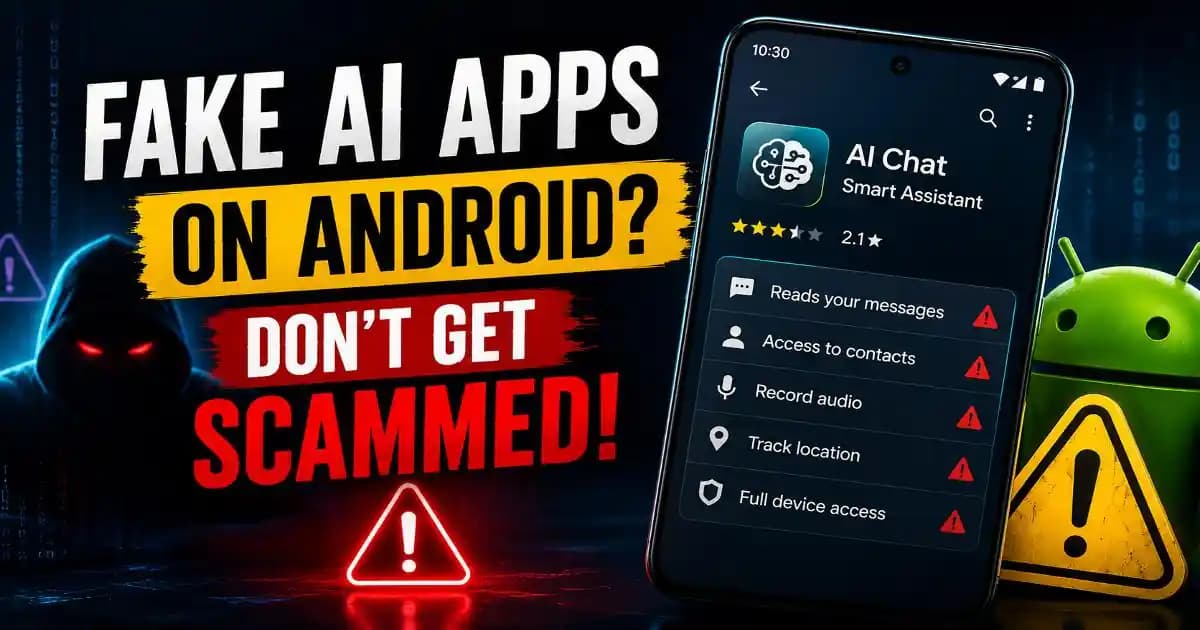
Fake AI apps are becoming harder to dismiss as simple copies because attackers can make a malicious application look like a familiar AI product while using the popularity of ChatGPT, Gemini, Claude and other tools to gain trust.
That creates an uncomfortable situation for users. You may search for an AI assistant, image generator, video editor or PDF tool, see a familiar-looking name, and assume that downloading it is harmless. The application may even open normally and appear to perform the advertised task.
But the visible interface is not proof that the software is legitimate.
Cybercriminals have already used fake Claude websites and installers to distribute malware. In one 2026 campaign investigated by Malwarebytes, a counterfeit Claude download delivered a malware chain while allowing a real-looking Claude application to run in the foreground. ([Malwarebytes][1]) Another campaign investigated by Huntress involved malicious content hosted through a genuine Claude.ai domain that redirected users toward a fake desktop installer; at least 29 organizations were affected during the reported campaign. ([Huntress][2])
The lesson is bigger than Claude. As AI becomes a normal part of everyday software, criminals have a powerful new set of familiar names to imitate.
Why Fake AI Apps Are So Convincing
AI products are particularly attractive to scammers because users actively search for them. Someone may want a free AI writer, a desktop chatbot, an image generator, a PDF summarizer or a video creation tool and may not know exactly which official application they should install.
Attackers can exploit that uncertainty with names, icons and websites designed to resemble legitimate products.
The problem becomes even more complicated when a fake page appears in a search advertisement or is shared through social media. Users often assume that something appearing near the top of search results has already been verified.
It has not.
A search result, advertisement, social post or download mirror can lead to a legitimate product, an unofficial copy or a malicious file. The source needs to be checked independently.
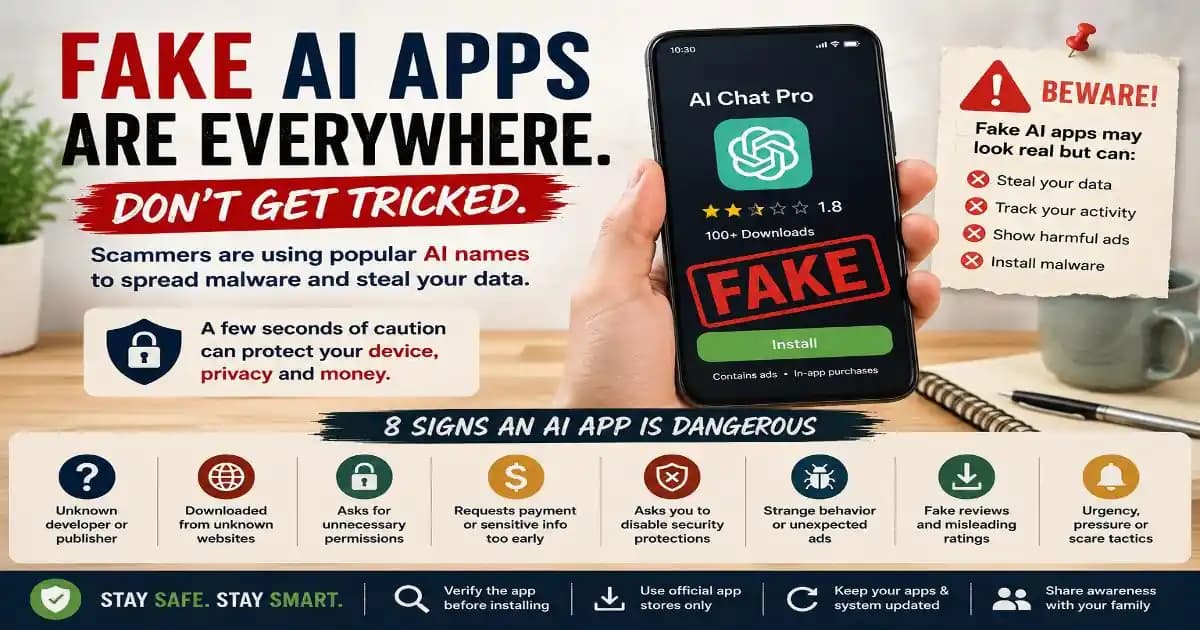
8 Signs an AI App Is Dangerous
1. The app has no clear official developer
Start with the publisher. A legitimate AI product should have a recognizable company, development team or project identity that can be independently verified.
Be cautious when an application uses a famous AI brand in its name but is published by an unrelated developer without a clear explanation. A similar icon or product name does not establish a connection with the real company.
2. The download comes from an unfamiliar website
The safest starting point is normally the AI provider's official website or a reputable official app store.
Be especially careful with websites offering phrases such as “premium unlocked,” “Pro for free,” “cracked AI,” or “no subscription required.” These offers can be used to persuade users to install modified software.
Free access should come from a legitimate free tier, trial or official distribution channel rather than an unexplained modified installer.
3. The app requests permissions that do not match its purpose
Permissions deserve attention on both phones and computers.
An AI application may reasonably need access to selected files or a microphone if those functions are central to its design. But an application requesting broad access to contacts, messages, device storage, accessibility controls or other sensitive resources should prompt questions about why that access is necessary.
This is where app permissions become part of everyday cybersecurity. Do not approve a request simply because the application uses an AI-related name.
4. The branding looks almost right
Small differences can reveal an imitation. Look closely at the spelling, developer name, domain, application icon and product description.
Attackers may use subtle changes that are easy to miss when someone is in a hurry. A strange domain, slightly altered brand name or unusual spelling should be treated as a warning rather than dismissed as a design choice.
5. The app demands payment or sensitive information immediately
A fake AI service may ask for card details, cryptocurrency, passwords or account credentials before you have even used the product.
That does not mean every legitimate AI service requiring payment is suspicious. The important question is whether the payment request matches the provider's normal signup process.
Open the official service independently and compare the pricing and account flow rather than trusting a link supplied by an advertisement or message.
6. It asks you to disable security protections
This is one of the clearest warning signs.
If an installer tells you to disable antivirus protection, bypass a browser warning, change system security settings or run an unknown command to make the AI application work, stop.
Legitimate software can occasionally require permissions or configuration changes, but instructions to bypass security controls deserve independent verification before you continue.
7. The app behaves strangely after installation
Unexpected pop-ups, browser extensions, new startup programs, unexplained background processes, unusual network activity or sudden performance problems can indicate that something other than the advertised AI application was installed.
Some malicious installers deliberately launch a working application so the victim believes everything went correctly. The real threat can operate quietly in the background.
That behavior was documented in the fake Claude campaign analyzed by Malwarebytes, where the legitimate-looking application ran while a malicious chain operated behind it. ([Malwarebytes][1])
8. The app is promoted through urgency or suspicious instructions
Be cautious when a download page says you must install something immediately, update through an unusual link, or follow a command copied from an unknown webpage.
Modern scams increasingly combine familiar brands with social-engineering techniques. Microsoft documented phishing campaigns using Anthropic-branded lures and account-related urgency to target users across thousands of organizations. ([Microsoft][3])
The technology may change, but the psychological technique is familiar: create urgency, reduce verification, and make the victim perform the dangerous action themselves.
Fake ChatGPT, Gemini and Claude Apps Need the Same Verification
Users often search specifically for a fake ChatGPT app, fake Gemini app or fake Claude app after seeing an unfamiliar download. The safest approach is the same regardless of the brand.
Go directly to the provider's official website or use the official application store listing. Check the publisher and compare the product information with the company's own documentation.
Do not assume that an application is legitimate because its icon looks correct. Brand assets are easy to copy.
Google itself advises Gemini users to be cautious with shared content and links from unknown providers, reinforcing the broader principle that unfamiliar AI-related content can carry security risks. ([Google Support][4])
What About Fake AI Image, Video and PDF Apps?
The risk is not limited to conversational AI.
Fake AI image generators, video generators, PDF summarizers, transcription tools and browser extensions can attract users who are looking for a quick solution to a specific task. These products can be especially persuasive because people may not know which company actually owns the underlying technology.
Before uploading a private document or personal photograph, verify the service and consider what information you are giving it. A tool can be legitimate while still having privacy implications that deserve attention.
For sensitive documents, business files, identification documents or confidential material, check the provider's privacy information before uploading anything.
How to Check an AI App Before Installing It
- Identify the developer. Confirm who publishes the application and whether that publisher is connected to the AI service it claims to represent.
- Start from the official source. Navigate to the provider independently instead of relying on a random download link.
- Compare the app details. Check the name, icon, publisher, supported platforms and current version.
- Review permissions. Make sure requested access makes sense for the application's actual purpose.
- Scan suspicious downloads. If a file appears questionable, use reputable security software rather than opening it repeatedly to see what happens.
This simple process takes less time than recovering an account or cleaning malware from a compromised computer.
What If You Already Installed a Fake AI App?
If you suspect that an AI application is fake, stop using it and disconnect the device from the internet if you have strong reason to believe malware may be running.
Run a security scan using reputable security software and remove the suspicious application according to the appropriate platform's security guidance. Review browser extensions, startup programs and recently installed applications for anything unfamiliar.
If you entered a password into the fake application or website, change that password from a trusted device and enable stronger authentication. If payment information was provided, contact the relevant financial provider through an official channel.
Do not assume that uninstalling the visible application automatically removes every malicious component. Persistent malware can behave differently from ordinary applications.
The AI App You Install Should Be Easier to Verify Than to Regret
The growing popularity of AI tools is creating useful opportunities, but it is also giving attackers a collection of highly recognizable brands to imitate.
That does not mean users should avoid AI applications. It means the installation decision deserves the same basic caution you would apply to banking software, browser extensions or any other application that can access valuable information.
Check the developer. Use official sources. Review permissions. Question unusual instructions. Keep your operating system and security software updated.
Most importantly, do not let the promise of a free premium AI tool override your normal security judgment. A convincing logo can be copied in minutes. A trustworthy software source is much harder to fake when you take the time to verify it independently.