
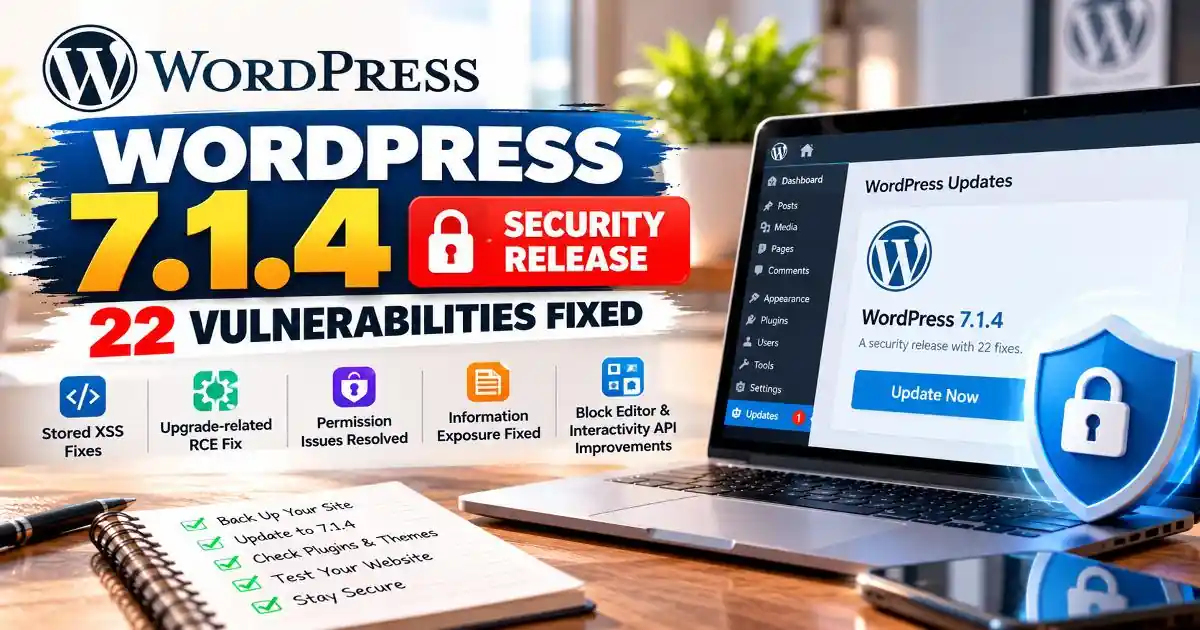
WordPress has released version 7.1.4 as a security update, urging website owners to install it as soon as possible. Published on October 28, 2026, the release addresses multiple security issues affecting WordPress core functionality, including the block editor, administrative screens, and the Interactivity API.
According to the official WordPress 7.1.4 version documentation, the release addresses 22 security vulnerabilities across affected WordPress versions. The official release announcement groups some issues together, so the number of announcement bullets should not be confused with the total number of vulnerabilities documented.
For website owners, bloggers, publishers, developers, and businesses that rely on WordPress, the practical message is straightforward: check your installed version, back up your website, and update through a trusted WordPress channel. This guide explains what WordPress 7.1.4 fixes, which older branches have received patches, and what to check after updating.
What Is WordPress 7.1.4?
WordPress 7.1.4 is a short-cycle security release published on October 28, 2026. Unlike a major feature release, its primary purpose is to address security weaknesses rather than introduce a new set of headline features.
The official WordPress 7.1.4 announcement recommends that website owners update immediately. The announcement also identifies version 7.2 as the next major release, which was planned for December 8, 2026 at the time of publication.
This distinction matters because security releases can be important even when the website appears to work normally. A vulnerability may exist in a feature that administrators rarely use, or in a workflow that becomes dangerous only when combined with particular permissions or user input.
How Many Security Vulnerabilities Does WordPress 7.1.4 Fix?
The official WordPress version documentation identifies 22 security vulnerabilities addressed by this release. The issues cover multiple areas of the platform rather than a single component.
Not every vulnerability has the same impact or exploitation requirements. Some involve users who already have particular permissions, while others concern information exposure or weaknesses in administrative and update processes. The official documentation does not provide a single severity score for all 22 issues, so it would be misleading to describe every fix as critical.
WordPress also lists an update to bundled root certificates following an eMudhra certificate revocation. This is a separate security-related change and should not automatically be counted as another Software vulnerability.
The Most Important WordPress 7.1.4 Security Fixes
1. An upgrade-related remote code execution risk
One of the most consequential fixes addresses a weakness in the WordPress upgrade process that could lead to remote code execution during an upgrade window. Remote code execution is a serious class of vulnerability because, under the relevant conditions, an attacker may be able to cause a system to run code that was not authorized by its owner.
The release announcement credits Umut Bayram with reporting this issue. WordPress does not say that every website was compromised or that this flaw was actively exploited. Nevertheless, the possibility of code execution makes applying the security update especially important.
2. Multiple stored cross-site scripting vulnerabilities
Several fixes address stored cross-site scripting, commonly abbreviated as stored XSS. This type of weakness can allow harmful scripts to be saved in website content or data and later executed in another user's browser when the affected content is viewed.
Depending on the vulnerability and the permissions involved, stored XSS can put administrators or other users at risk, potentially exposing account sessions or enabling unwanted actions in their browser context. The WordPress 7.1.4 documentation lists issues involving block markup, privacy data removal requests, Customizer selective refresh, the Categories block, comments pagination, Playlist and image blocks, and several Interactivity API features.
The affected areas are important because WordPress websites increasingly use blocks and interactive features to present and manage content. A vulnerability in one component does not mean every site using that component has been attacked, but it does mean site owners should install the relevant patch.
3. Information exposure involving unpublished Customizer changes
WordPress also fixed an issue that could allow unauthenticated visitors to discover unpublished Customizer changesets. Unpublished changes may contain information that a site owner did not intend to make publicly accessible.
This is an information-disclosure issue rather than the same type of flaw as remote code execution. Even so, unintended exposure can matter to businesses, publishers, and developers who prepare website changes before making them public.
4. Permission checks involving post notes
Another fix concerns notes attached to posts. The documentation describes a permissions issue that could allow custom roles with comment-moderation capabilities to read, edit, or delete notes associated with posts they were not permitted to edit.
This highlights why website security is not only about blocking outside attackers. Correct permission checks also help prevent users inside a website from accessing or changing information beyond their intended responsibilities.
5. Additional block editor and Interactivity API fixes
The release includes other issues affecting WordPress block behavior, script bindings, user-controlled input, and interactive content. The official documentation lists several stored XSS cases in the Interactivity API, including issues related to event-handler bindings, JavaScript URLs, and context namespaces.
It also describes an issue involving content that could shadow Script Module data through a matching element ID, along with a stored denial-of-service issue in the Interactivity API. A denial-of-service weakness can affect availability by causing a component to consume excessive resources or stop functioning as intended under certain conditions.
For the complete technical list, consult the official WordPress 7.1.4 security documentation, which records the reported issues and affected release branches.
Are Older WordPress Versions Also Affected?
Yes. The official version documentation lists security fixes for older affected branches as well. The number of vulnerabilities addressed varies by branch:
- WordPress 7.0: affected by all 22 documented vulnerabilities; version 7.0.8 includes fixes.
- WordPress 6.9: affected by all 22; version 6.9.11 includes fixes.
- WordPress 6.8 and 6.7: each affected by 20; versions 6.8.12 and 6.7.11 include fixes.
- WordPress 6.5 and 6.4: each affected by 17; versions 6.5.14 and 6.4.14 include fixes.
- WordPress 6.3 through 6.0, and 5.9: each affected by nine; the official documentation lists corresponding patched versions.
- WordPress 5.8 through 5.0: the listed branches are affected by six vulnerabilities, with the exact patched versions provided in the official documentation.
- WordPress 4.9: affected by four vulnerabilities; version 4.9.35 includes fixes.
- WordPress 4.8 and 4.7: each affected by two vulnerabilities; versions 4.8.34 and 4.7.39 include fixes.
These figures are based on the official WordPress 7.1.4 version page. WordPress also notes that only the most recent version is actively supported. Versions 4.6 and earlier no longer receive security updates, so owners of older installations should plan a supported upgrade rather than assume that every historical version will be patched.
How to Update to a Secure WordPress Version
Before updating a live website, make sure you can recover it if a plugin, theme, or hosting configuration causes a problem. These steps provide a practical update workflow.
- Back up your website. Save both the database and website files, and confirm that the backup can be restored.
- Check your current version. Sign in to the WordPress administration dashboard and review the installed version.
- Use a trusted update source. Open Dashboard, select Updates, and choose Update Now when the appropriate security release is offered. Alternatively, use the official WordPress release archive.
- Check plugins and themes. Install available updates from trusted sources, especially if a plugin or theme has its own security advisory.
- Test essential website functions. Check login, publishing, forms, navigation, search, and any important business workflows.
- Verify the installed version. Return to the dashboard and confirm that the update completed successfully.
WordPress says sites that support automatic background updates will begin updating automatically. Do not assume that every site has completed the process; verify the version on your own installation.
Does Updating WordPress Guarantee That a Website Is Secure?
No. Applying WordPress 7.1.4 or the appropriate patched release addresses the core issues covered by that release, but it does not guarantee complete website security.
Outdated plugins, vulnerable themes, weak administrator passwords, compromised hosting accounts, and unsafe server configurations can create separate risks. Keep all maintained components updated, remove extensions you no longer use, restrict administrator access, use multi-factor authentication where available, and retain reliable backups.
If your site shows signs of compromise, such as unfamiliar administrator accounts, unexpected redirects, altered files, or suspicious server activity, updating alone may not remove an existing attacker. Investigate the incident, review logs, rotate potentially exposed credentials from a trusted device, and consider assistance from a qualified security professional.
Official Sources and Further Reading
For accurate technical details, affected WordPress versions, and recommended security updates, consult these official WordPress resources:
-
- WordPress 7.1.4 Security Release Announcement - The official announcement covering the release date, security fixes, and WordPress's recommendation to update promptly.
- WordPress 7.1.4 Version Documentation - The detailed list of reported security vulnerabilities, affected WordPress branches, and corresponding patched versions.
- Official WordPress Release Archive - Check available WordPress releases, version history, and official release packages.
- WordPress 7.1.3 Maintenance and Security Release - Review the preceding release announcement for additional context about WordPress maintenance and security updates.
Final Verdict
WordPress 7.1.4 is an important security release, not an optional feature update. Official documentation identifies 22 security vulnerabilities addressed by the release, including multiple stored XSS issues, an upgrade-related remote code execution risk, information exposure, and permission-checking problems.
Website owners should check their installed version and apply the correct patched release for their branch as soon as possible. After updating, review plugins, themes, access controls, backups, and any signs of suspicious activity. A timely update is a key security step, but ongoing maintenance remains essential for keeping a WordPress website safer.