Unknown login alert notifications can be unsettling, especially when they appear while you are nowhere near the device or location shown in the message.
Before assuming that someone has broken into your account, take a breath and verify what happened. Login alerts can be triggered by a genuine unauthorized attempt, a device you forgot about, a new browser session, a VPN, or even an inaccurate location estimate. They can also be imitated by phishing messages designed to make you panic and hand over your password.
The important part is what you do next. A suspicious login should never be ignored, but you also should not click an unfamiliar security link simply because the message looks urgent.
If you have just received an alert, the fastest response is straightforward: verify the alert independently, secure the account, and then investigate the login details.
Is Your Unknown Login Alert Real or a Phishing Scam?
The first question is whether the alert actually came from the service that manages your account.
Attackers regularly use fake security notifications because the subject is naturally alarming. A message may claim that someone logged into your Google, Microsoft, Apple, social media, banking, or other account and then provide a large button saying “Secure Account” or “Review Login.” The button may lead to a convincing copy of the real sign-in page.
Instead of following the link in the notification, open the service directly using its official application, a bookmark you already trust, or by manually entering the known website address. Then check the account's security or recent activity section.
Pay attention to the sender's actual email address rather than only the display name. A message can look like it came from a familiar company while originating from an unrelated domain.
This independent verification step is important because the same psychological trick appears in many phishing attacks: create urgency first, then make the victim perform the attacker's preferred action.
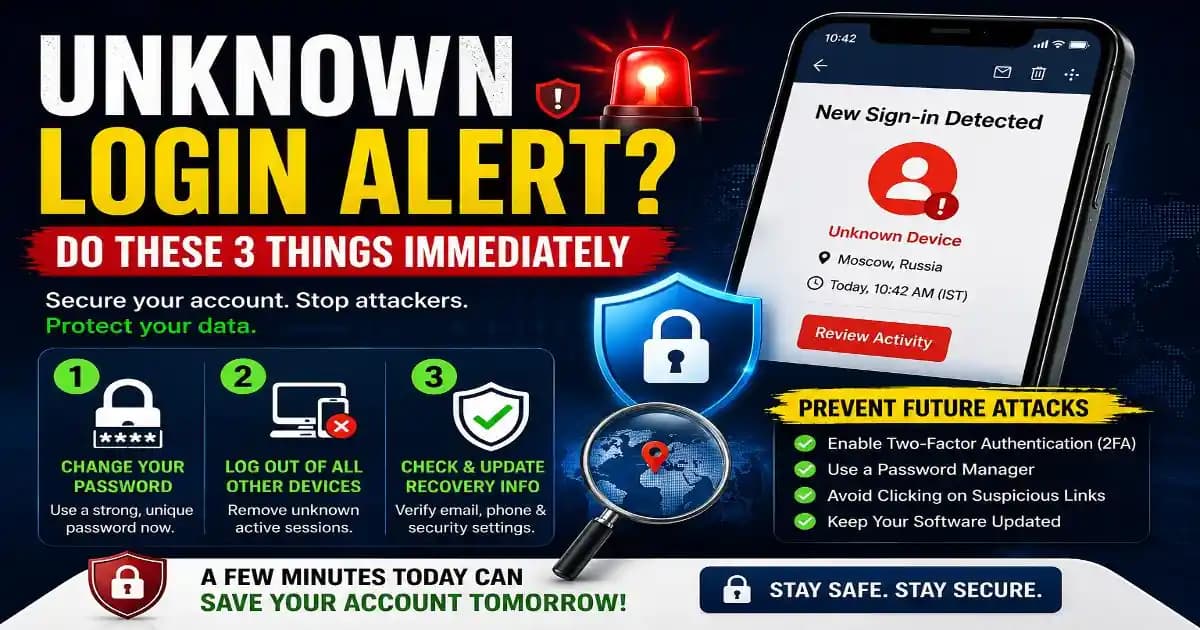
3 Actions to Secure an Account After an Unauthorized Login
If the login appears genuine or you cannot explain it, move quickly. You do not need to understand exactly how the access happened before taking basic containment measures.
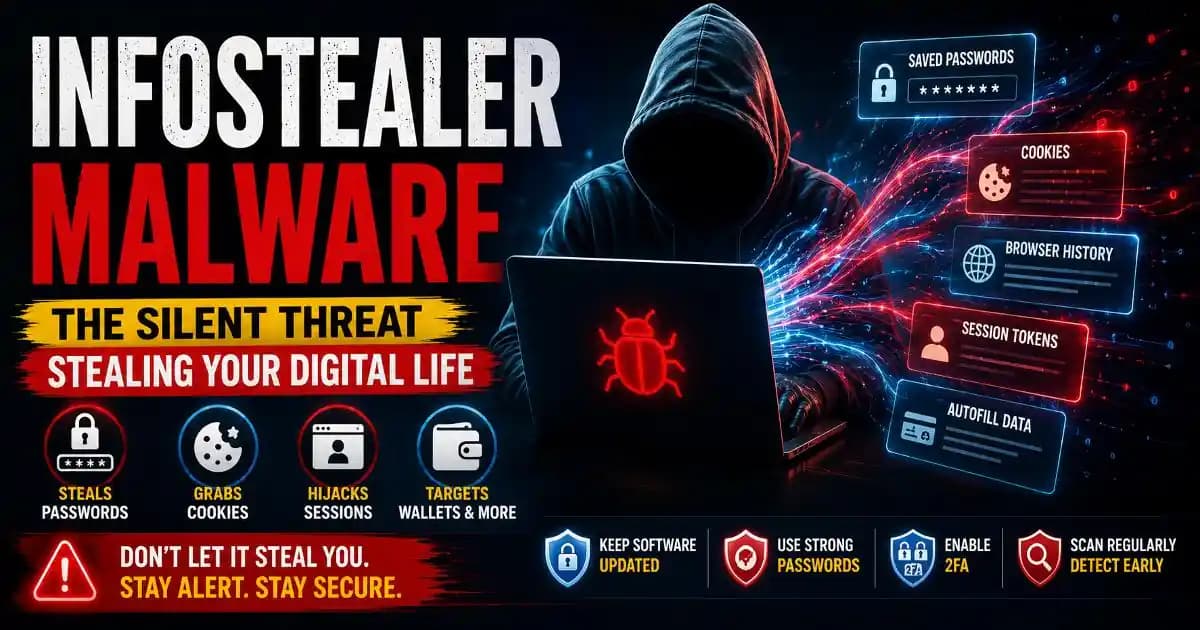
- Change your password. Create a strong, unique password or passphrase that you have not used on another website. Reusing the same password across services can turn one compromised account into several compromised accounts. A reputable password manager can make unique credentials much easier to maintain.
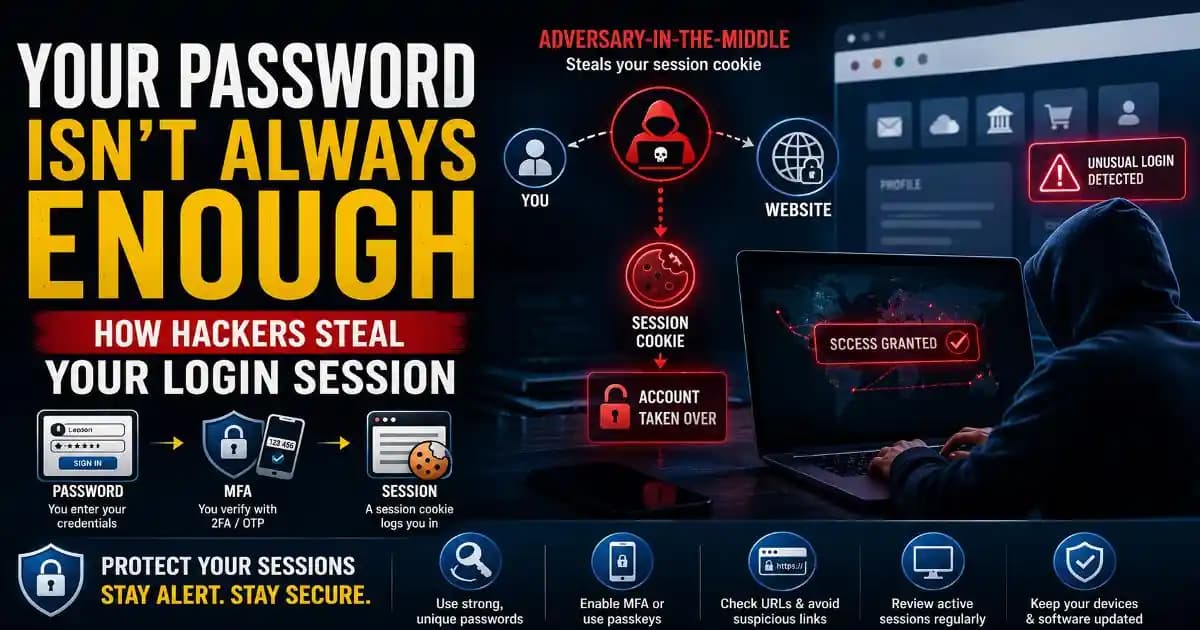
- Terminate active sessions. Open the account's security settings and look for options such as “Your devices,” “Recent activity,” “Where you're signed in,” or “Sign out of all other devices.” Remove sessions you do not recognize. If the service allows you to terminate all other sessions, doing so can be a useful containment measure.
- Check recovery information. Review the recovery email address, phone number, trusted devices, authentication methods, and other account-recovery settings. An attacker who gains access may try to change these details so that they can regain control later.
After completing these actions, check whether the account has unusual messages, files, purchases, forwarding rules, connected applications, or other activity. Attackers do not always stop at the initial login.
How to Trace Where the Unknown Login Came From
Security dashboards often show information such as the approximate location, device type, browser, operating system, IP address, and time of the login. These details can help you decide whether the activity is familiar.
However, location information should not be treated as a precise address.
An IP address generally identifies a network connection rather than the physical location of the person using it. Mobile networks can route traffic through infrastructure located far from the user's actual position. VPN services can make a login appear to originate from another city or country. Corporate networks and cloud-based security systems can create similar mismatches.
For that reason, a strange location alone does not prove that an attacker accessed the account.
Look for the combination of signals. An unfamiliar device, unfamiliar browser, unusual time, unexpected IP address, and a login that you cannot explain together deserve much more attention than a location mismatch by itself.
You should also consider whether you recently changed phones, reinstalled an application, cleared browser data, used a different browser, or signed into the account from another computer. Some services create a new security event when a familiar user performs an action that changes the device or session environment.
What If the Login Was Actually Yours?
It is surprisingly common for legitimate activity to look suspicious.
You might sign into an account through a new browser and forget about it. A mobile application may refresh its authentication session. A VPN can change the apparent location. A workplace network can route traffic through a different region.
This is why security alerts should be treated as clues rather than automatic proof of compromise.
Still, uncertainty is not a reason to ignore the alert. If you cannot confidently identify the device or activity, checking the session list and changing the password is usually safer than assuming everything is fine.
Check Connected Apps and Account Changes Too
Securing the password is only part of the investigation.
Many modern accounts allow third-party applications to connect through permissions or tokens. If an attacker obtained access through a malicious application, compromised session, or stolen authentication token, changing the password alone may not remove every form of access.
Review connected applications and remove anything you no longer recognize or need. Also check important account settings for changes you did not make.
For email accounts, this can include forwarding rules, filters, recovery information, signatures, and delegated access. For cloud platforms, review shared files and active sessions. For social accounts, check recent posts, messages, profile changes, and linked applications.
The exact controls differ between Google, Microsoft, Apple, GitHub and other platforms, but the principle is similar: investigate the account as an ecosystem rather than focusing only on the password.
Enable Two-Factor Authentication Before the Next Alert
Once the account is secure, strengthen the sign-in process.
Two-factor authentication (2FA) adds another verification layer beyond the password. Depending on the service, this can involve an authenticator application, security key, passkey, or another supported authentication method.
Where passkeys or hardware security keys are available, they can provide strong protection against several forms of password-based phishing because the authentication process is tied more closely to the legitimate website or application.
SMS-based verification can still be useful, but it should not automatically be considered the strongest available option. The right method depends on the account, device and security options offered by the service.
How to Prevent Future Unauthorized Access
The best response to an unknown login alert is not simply to react faster. It is to make unauthorized access harder in the first place.
Use a unique password for important accounts, enable strong authentication, keep your phone and computer updated, and avoid entering credentials through links in unexpected security messages.
It is also worth reviewing old accounts you no longer use. Forgotten accounts with reused passwords can become an unnecessary part of your security exposure.
For important accounts, periodically review active sessions and connected applications. This takes only a few minutes and can reveal changes that would otherwise remain unnoticed.
An unknown login alert should therefore be treated as a useful security signal. Sometimes it will reveal a genuine intrusion. Sometimes it will turn out to be your own activity or an inaccurate location estimate. The important skill is knowing how to verify the difference without giving a scammer more information in the process.
When in doubt, do not follow the alert's link. Open the account yourself, inspect its security activity, protect the credentials, and then investigate what happened.