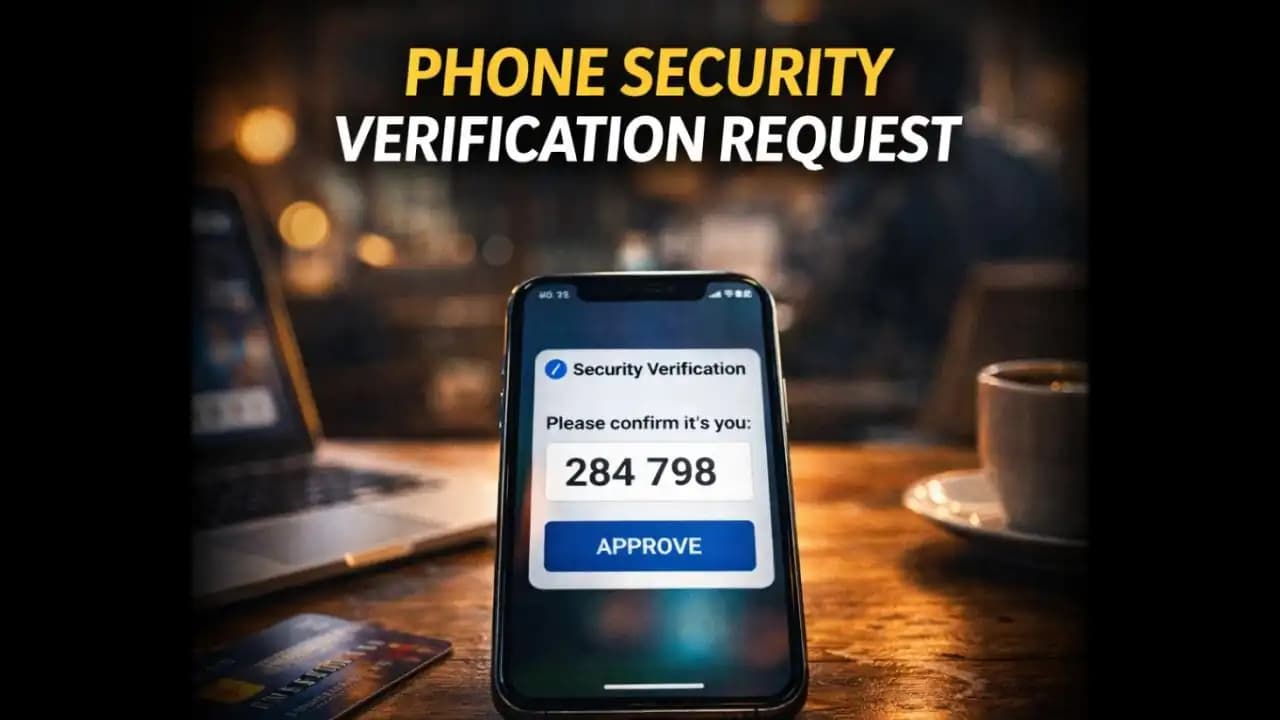
Phone security verification request alerts can appear unexpectedly while you’re simply trying to use your Device. One moment you’re opening an app, checking email, or signing into a service, and suddenly your phone asks you to verify your identity again. Sometimes it’s a code sent to your email or SMS. Other times it’s a security prompt asking you to confirm your account activity. When these requests start appearing repeatedly, many users begin wondering if something unusual is happening behind the scenes.
In recent months, more smartphone users have reported frequent verification prompts across banking apps, messaging platforms, and even social media accounts. While these alerts are often legitimate Security checks, understanding why they appear so often can help you determine whether it’s normal protection or something worth investigating.
When Verification Prompts Start Appearing Too Often
Many people first notice the issue during an ordinary moment.
You open a familiar appmaybe your email, banking app, or messaging platformand instead of loading normally, a Message appears:
“For security reasons, please verify your identity.”
You enter the verification code, log in successfully, and continue using Your Phone.
But later the same day, it happens again.
Another code request appears when signing in somewhere else. Then again when Accessing a different service.
Some users start receiving messages like:
- “New login detected. Please verify your account.”
- “Suspicious activity detected. Enter verification code.”
- “Confirm it’s you before continuing.”
At first, it might seem like a normal Security (1) feature. But when verification prompts begin appearing frequentlyeven for apps you use every dayit naturally raises questions.
Is the phone simply being cautious? Or is something triggering those alerts?
Why Phones and Apps Are Asking for Verification More Often
In many cases, repeated verification prompts are part of modern security systems doing their job.
Over the past few years, major platforms have strengthened identity Checks to Protect users from Account takeovers and fraud. When apps detect something slightly unusual, they ask for Confirmation.
Some common triggers include:
- Logging in from a new device
- Changing network connections
- Signing in from a different location
- Clearing browser or app data
- Installing app updates
Even small changeslike switching between Wi-Fi and Mobile datacan sometimes trigger additional Verification checks.
For example, if you log into your email while traveling or using public Wi-Fi, the service may ask you to confirm your identity to ensure someone else isn’t Accessing your Account.
This extra layer of verification helps prevent unauthorized logins.
However, when these prompts become unusually frequent, it can also indicate other factors worth considering.
Signs the Verification Requests Might Be Unusual
Occasional verification prompts are normal.
But certain patterns may suggest something else is happening.
One warning sign is receiving verification requests when you didn’t try to log in at all.
For example, you might receive messages like:
“Your verification code is 349821.”
Even though you never opened the app or attempted to sign in.
This can sometimes mean someone else is attempting to access your account.
Another unusual pattern is multiple verification requests in a short time.
If several codes arrive within minutes, it may indicate repeated login attempts from another Device.
Some users also notice verification prompts appearing across several apps at onceemail, banking apps, and Social Media. This could happen if login sessions expired, but it can also suggest that Security systems are responding to unusual Activity.
The key difference is whether the Request matches something you actually did on Your Phone.
If it appears randomly, it deserves attention.
Why Repeated Verification Prompts Can Be Risky
While security verification itself is designed to protect users, frequent prompts can create confusion.
And confusion is something scammers often exploit.
For example, if someone receives several verification codes, they might assume the requests are routine.
That’s when a scammer might send a Message saying something like:
“Your security verification failed. Please send the code you received so we can fix your account.”
Because the user has already seen several codes, the request may feel believable.
In reality, the scammer is trying to obtain the verification code needed to access the account.
Another risk is verification fatigue.
When users see repeated prompts, they sometimes start approving them Automatically without reading the details carefully. This habit can increase the chance of approving a Suspicious login request.
Security prompts are meant to slow attackers downbut they only work if users remain attentive.
How Verification Systems Have Changed in 2024–2025
In 2024 and 2025, many digital platforms strengthened account security to respond to rising online fraud.
As a result, verification systems have become more sensitive to unusual patterns.
Modern security tools now analyze factors such as:
- Login location
- Device fingerprint
- Network changes
- App behavior patterns
If something slightly different Appearssuch as logging in from a new phone or using a VPNthe system may trigger verification.
Another recent trend is multi-step verification.
Instead of relying only on passwords, apps now combine several checks, including:
- SMS verification codes
- App-based authentication
- Email confirmation
- Biometric verification
These layered protections significantly reduce account hacking risks, but they also mean users may see verification prompts more often than they did a few years ago.
In most cases, these checks are simply part of stronger security systems.
Simple Steps to Keep Your Phone and Accounts Secure
If your phone frequently asks for verification, there are several steps that can help maintain security while reducing unnecessary prompts.
First, make sure your apps and operating system are fully updated. Updates often improve how authentication systems function.
Second, review your account security settings.
Many platforms allow you to view recent login activity. Checking this section can confirm whether unfamiliar devices have attempted to access your account.
Another useful step is enabling two-factor authentication apps instead of relying solely on SMS codes. App-based verification is often more secure and stable.
It’s also helpful to avoid logging into sensitive accounts Through public networks whenever possible.
And most importantly, never share verification codes with anyoneeven if the request appears to come from a service provider.
Legitimate companies will never ask users to send them a verification code.
A Small Security Check Can Be a Helpful Warning
A phone security verification request may feel inconvenient when it interrupts your normal phone use. But in many cases, it’s simply a reminder that modern security systems are actively protecting your accounts.
These prompts exist for a reason: to ensure that only you can access your personal information.
At the same time, repeated verification requests can occasionally signal something worth checkingsuch as unusual login attempts or changes in device behavior.
The key is awareness.
When a verification request appears, pause for a moment and ask yourself whether it matches something you just did.
If it does, it’s likely a normal security check.
If it doesn’t, it may be your first Warning that someone else is trying to access your account.
FAQ
Why does my phone keep asking for security verification?
Phones and apps may request verification when they detect unusual activity such as logging in from a new device, changing Locations, or switching networks. These checks help prevent unauthorized account access.
Is it normal to receive verification codes without logging in?
No. If you receive verification codes when you didn’t attempt to sign in, someone may be trying to access your account. You should review your account security and change your password.
Can scammers use verification codes to hack accounts?
Yes. If someone obtains your verification code, they may be able to complete the login process for your account. That’s why you should never share verification codes with anyone.
How can I reduce frequent verification prompts?
Keeping your apps updated, enabling trusted device settings, and using consistent networks can reduce unnecessary verification requests while maintaining strong security.